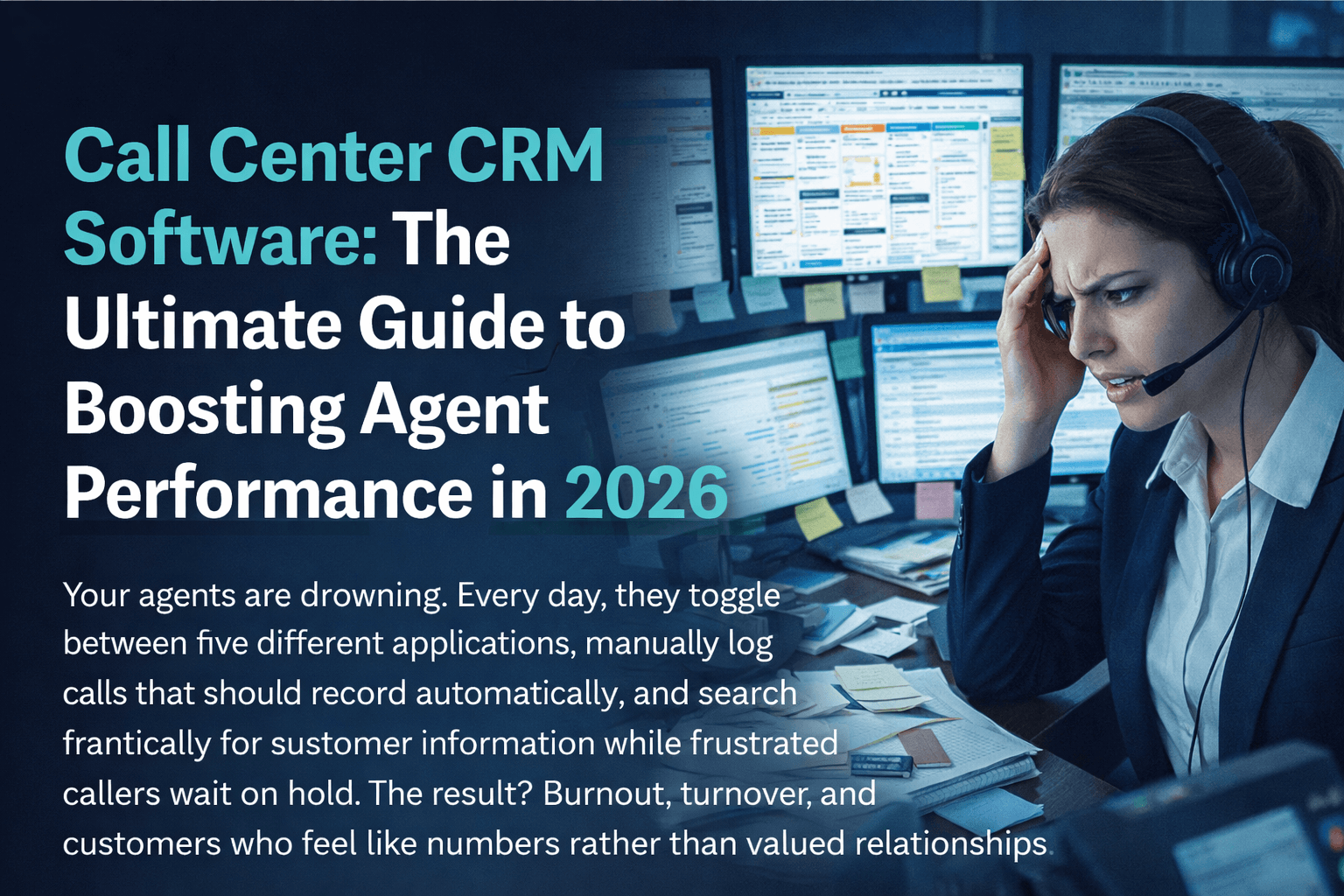
Call Center CRM Software: The Ultimate Guide to Boosting Agent Performance in 2026
Your agents are drowning. Every day, they toggle between five different applications, manually log calls that should record automatically, and search frantically for customer information while frustrated callers wait on hold. The result? Burnout, turnover, and customers who feel like numbers rather than valued relationships.
Call center CRM software eliminates this chaos by unifying customer data, communication tools, and workflow automation into a single powerful platform. When agents have instant access to complete customer histories, automated dialing, and intelligent routing—everything changes. Handle times drop. First-call resolution soars. Agent satisfaction improves because they finally have tools that work with them, not against them.
The numbers tell the story: organizations implementing integrated call center CRM systems report 27% improvement in customer retention, 32% increase in agent productivity, and 23% reduction in average handle time. These aren't marginal gains—they're transformative improvements that compound month after month.
This guide reveals how leading call centers leverage CRM technology to outperform competitors, which platforms deliver the best results, and exactly how to implement these systems for maximum impact. Whether you manage five agents or five hundred, you'll discover actionable strategies to revolutionize your operation.
Why Traditional Call Centers Are Failing
Before exploring solutions, understanding the problems plaguing traditional call centers illuminates why CRM for call center operations has become essential rather than optional.
The Information Fragmentation Crisis
Most call centers operate with data scattered across multiple disconnected systems. Customer information lives in one database. Call logs exist in another. Support tickets occupy a third platform. Sales opportunities track somewhere else entirely.
When customers call, agents perform digital archaeology—excavating through multiple applications to piece together context. Meanwhile, callers repeat information they've already provided, growing increasingly frustrated with each redundant question.
This fragmentation creates measurable damage:
- Average 45 seconds spent searching for customer information per call
- 67% of customers report frustration when asked to repeat information
- 23% higher abandonment rates when hold times extend during information searches
The Manual Data Entry Trap
Without integrated systems, agents spend enormous time on administrative tasks that add zero customer value. Call notes typed manually. Disposition codes selected from dropdown menus. Follow-up tasks created in separate applications. Contact records updated across multiple platforms.
Research indicates agents in non-integrated environments spend 35-40% of their time on administrative tasks rather than customer interaction. For a 50-agent call center, that's equivalent to 17-20 agents doing nothing but paperwork—an enormous hidden cost.
The Coaching Blindspot
Supervisors managing traditional call centers operate largely blind. They hear about problems after customers complain. They discover performance issues during periodic reviews rather than in real-time. They coach based on incomplete information because comprehensive interaction data doesn't exist.
This reactive management approach allows small problems to become major issues before anyone notices. Agent skill gaps persist because nobody identifies them. Best practices remain siloed with top performers rather than spreading across the team.
What is Call Center CRM Software?
Call center CRM software combines Customer Relationship Management functionality with communication tools specifically designed for high-volume telephone operations. Unlike generic CRM platforms, these specialized solutions include:
Integrated Telephony
Native softphone capabilities or tight VoIP integration enabling click-to-dial, screen pops, call transfers, and conferencing directly within the CRM interface. Agents never leave the platform to handle calls.
Intelligent Call Routing
Automatic distribution of incoming calls based on agent skills, customer value, issue type, language preferences, and real-time queue conditions. The right calls reach the right agents without manual intervention.
Automated Workflows
Rules-based automation handling repetitive tasks: call logging, disposition recording, follow-up scheduling, escalation triggers, and notification distribution. Agents focus on conversations while the system handles administration.
Performance Analytics
Real-time dashboards and historical reporting covering every metric that matters: call volumes, handle times, wait times, abandonment rates, conversion rates, customer satisfaction scores, and individual agent performance.
Quality Management
Call recording with searchable transcription, quality scoring frameworks, coaching tools, and performance tracking enabling continuous improvement across the entire team.
Core Features of Best Call Center CRM Systems
When evaluating call center CRM solutions, these capabilities separate adequate platforms from exceptional ones:
Screen Pop Technology
The moment an incoming call connects, complete customer context appears automatically:
- Contact Information: Name, company, title, phone numbers, email addresses
- Interaction History: Previous calls, emails, chats, support tickets
- Purchase Records: Products owned, subscription status, billing history
- Open Issues: Active tickets, pending orders, unresolved complaints
- Custom Data: VIP status, assigned account manager, special instructions
This instant context enables agents to greet callers personally and address their needs without repetitive questioning. First impressions transform from "How can I help you today?" to "Hi Sarah, I see you contacted us last week about your shipping delay—let me check the current status for you."
Power Dialer & Predictive Dialing
Outbound call centers live or die by talk time—minutes agents spend in actual conversation versus waiting for calls to connect. Manual dialing wastes enormous time on:
- Dialing numbers (5-10 seconds each)
- Listening to rings (15-30 seconds average)
- Navigating voicemail greetings (20-45 seconds)
- Waiting through busy signals
- Handling disconnected numbers
Power dialers eliminate this waste by automatically dialing the next number when agents become available, connecting them only to live answers. Productivity typically doubles.
Predictive dialers go further, using algorithms to anticipate when agents will finish current calls and pre-dialing multiple numbers simultaneously. When calibrated correctly, agents move from conversation to conversation with minimal idle time—tripling or even quadrupling productive talk time.
Omnichannel Communication Hub
Modern customers expect seamless service across channels. They might email a question, follow up via chat, then call for immediate resolution. Call center CRM software unifies these interactions:
- Voice: Inbound and outbound calling with full feature set
- Email: Integrated inbox with templates and tracking
- SMS/Text: Two-way messaging from business numbers
- Live Chat: Website chat with CRM integration
- Social Media: Facebook, Twitter, WhatsApp message management
- Video: Face-to-face customer meetings when needed
Every interaction—regardless of channel—logs to the same customer record, providing complete visibility into relationship history.
Real-Time Supervisor Dashboard
Effective call center management requires real-time visibility:
- Queue Status: Calls waiting, average wait time, longest waiting caller
- Agent Status: Available, on call, in wrap-up, on break, offline
- Service Levels: Current performance against targets
- Call Monitoring: Listen to live calls without agent/customer awareness
- Whisper Coaching: Speak to agents during calls (customer can't hear)
- Barge-In: Join calls when supervisor intervention is needed
This visibility enables proactive management—adjusting resources before queues back up, coaching agents through difficult calls, and maintaining service levels through real-time intervention.
Workflow Automation Engine
The most powerful call center CRM systems include robust automation capabilities:
- Auto-Logging: Every call automatically recorded with timestamp, duration, recording link
- Disposition Automation: Common outcomes trigger predefined follow-up sequences
- Escalation Rules: Specific conditions automatically route issues to supervisors
- Follow-Up Scheduling: Post-call tasks created and assigned automatically
- Lead Distribution: New inquiries routed based on territory, round-robin, or performance
- Alert Triggers: Notifications when key events occur (VIP caller, complaint, opportunity)
These automations eliminate manual work while ensuring consistent process execution regardless of which agent handles the interaction.
Top 10 Call Center CRM Software Solutions 2026
After comprehensive evaluation of features, reliability, integration capabilities, and user satisfaction, these platforms lead the market:
1. SMART ERP Suite — Best Unified Platform
Rating: ★★★★★ (9.9/10)
SMART ERP Suite delivers the most complete call center CRM solution available—native VoIP calling, comprehensive CRM, and advanced automation unified in a single platform. While competitors require integrating separate phone systems with standalone CRM applications, SMART ERP Suite provides everything built-in.
This architectural advantage eliminates integration complexity, ensures perfect data synchronization, and provides a seamless agent experience. There's no toggling between applications, no data discrepancies between systems, and no finger-pointing between vendors when issues arise.
Standout Capabilities:
- Zero-Integration Architecture: Calling and CRM built together, not bolted together
- AI-Powered Insights: Real-time transcription, sentiment analysis, conversation intelligence
- Visual IVR Builder: Drag-and-drop call flow design without coding
- Smart Lead Routing: AI-based distribution optimizing for conversion probability
- Predictive Analytics: Forecasting call volumes, staffing needs, and outcome probabilities
- Complete Audit Trail: Every action logged for compliance and quality purposes
Pricing: $49/user/month including unlimited domestic calling Trial: 30 days free, full access, no credit card
2. Five9 — Enterprise-Grade Power
Rating: ★★★★☆ (8.6/10)
Five9 dominates the enterprise segment with sophisticated capabilities for large-scale operations. Workforce management integration, advanced analytics, and multi-site administration tools support complex deployments.
The platform excels at handling high volumes with intelligent routing, skills-based distribution, and queue optimization algorithms refined over years of enterprise deployments.
Best For: Large call centers (100+ agents) with dedicated administration resources Consideration: Complexity and cost may overwhelm smaller operations
3. Salesforce Service Cloud
Rating: ★★★★☆ (8.4/10)
Salesforce Service Cloud leverages the world's leading CRM platform for call center operations. Native integration with Salesforce Sales Cloud provides unified customer views across sales and service teams.
The AppExchange ecosystem offers hundreds of telephony integrations, though this flexibility introduces integration complexity. Organizations already invested in Salesforce benefit from ecosystem synergies.
Best For: Existing Salesforce customers seeking service capabilities Consideration: Telephony requires third-party integration; total cost often exceeds $150/user/month
4. Zendesk Talk
Rating: ★★★★☆ (8.2/10)
Zendesk Talk brings call center capabilities to the popular Zendesk support platform. Tight integration with ticketing workflows enables seamless escalation from phone to ticket and back.
The solution prioritizes support use cases over sales, making it ideal for customer service teams but less suitable for outbound sales operations.
Best For: Support-focused teams already using Zendesk Pricing: Starting around $55/agent/month with Zendesk Suite
5. Freshdesk Contact Center
Rating: ★★★★☆ (8.0/10)
Freshdesk Contact Center (formerly Freshcaller) provides solid call center functionality at competitive pricing. Integration with the broader Freshworks suite enables unified customer engagement.
The platform offers good value for growing teams but lacks some advanced features found in enterprise solutions.
Best For: SMBs seeking affordable, capable solutions Pricing: Starting around $15/agent/month
6-10. Additional Strong Contenders
| Rank | Platform | Score | Strength | Starting Price |
|---|---|---|---|---|
| 6 | Talkdesk | 7.9/10 | AI-powered routing | $75/user/month |
| 7 | Genesys Cloud | 7.7/10 | Enterprise omnichannel | $75/user/month |
| 8 | NICE CXone | 7.5/10 | Workforce optimization | Custom pricing |
| 9 | Aircall | 7.4/10 | Easy setup | $30/user/month |
| 10 | 8x8 Contact Center | 7.2/10 | Global coverage | $85/user/month |
Call Center CRM Feature Comparison Matrix
| Feature | SMART ERP | Five9 | Salesforce | Zendesk | Freshdesk |
|---|---|---|---|---|---|
| Native Telephony | ✓ | ✓ | ✗ | ✓ | ✓ |
| Built-in CRM | ✓ | ✗ | ✓ | ✓ | ✓ |
| Screen Pop | ✓ | ✓ | ✓ | ✓ | ✓ |
| Predictive Dialer | ✓ | ✓ | Add-on | ✗ | ✗ |
| AI Transcription | ✓ | Add-on | Add-on | ✗ | ✗ |
| Omnichannel | ✓ | ✓ | ✓ | ✓ | ✓ |
| Whisper Coaching | ✓ | ✓ | Via partner | ✓ | ✓ |
| Visual IVR Builder | ✓ | ✓ | Via partner | Limited | ✓ |
| Workflow Automation | ✓ | ✓ | ✓ | ✓ | ✓ |
| Custom Reports | ✓ | ✓ | ✓ | ✓ | Limited |
| Free Trial | 30 days | Demo | 30 days | 14 days | 21 days |
| Starting Price | $49/mo | Custom | $150+/mo | $55/mo | $15/mo |
Choosing the Right Call Center CRM Solution
Assess Your Primary Use Case
Different platforms optimize for different scenarios:
Inbound Support Focus:
- Prioritize screen pop speed and ticket integration
- Queue management and skills-based routing critical
- Knowledge base integration adds value
- Consider: SMART ERP Suite, Zendesk, Freshdesk
Outbound Sales Focus:
- Power/predictive dialer capabilities essential
- Lead management and pipeline tracking needed
- Cadence automation for follow-up sequences
- Consider: SMART ERP Suite, Five9, Close
Blended Operations:
- Unified handling of inbound and outbound
- Flexible agent state management
- Combined reporting across call types
- Consider: SMART ERP Suite, Five9, Genesys
Calculate Total Cost of Ownership
Surface pricing often misleads. Calculate comprehensive costs including:
- Base Licensing: Per-user monthly fees
- Telephony Costs: Per-minute charges, phone numbers, toll-free fees
- Integration Expenses: Connectors, API development, maintenance
- Implementation: Professional services, configuration, training
- Add-On Features: Recording storage, transcription, advanced analytics
- Support Tiers: Premium support often costs extra
SMART ERP Suite's all-inclusive pricing ($49/user/month with unlimited calling) simplifies budgeting compared to platforms with layered pricing that escalates unpredictably.
Evaluate Integration Requirements
Consider your existing technology stack:
- CRM Already in Place? Platforms with native CRM may duplicate functionality
- Phone System Investments? Some solutions require specific VoIP providers
- Other Business Systems? ERP, billing, helpdesk integrations needed?
- Custom Applications? API availability and documentation quality matter
Plan for Scale
Select platforms supporting your growth trajectory:
- User Limits: Some plans cap agent counts
- Volume Pricing: Per-minute costs change with volume
- Feature Availability: Advanced features often locked to enterprise tiers
- Geographic Expansion: International calling and local number availability
Implementation Roadmap: 30 Days to Transformation
Week 1: Foundation
Days 1-2: Data Preparation
- Export existing customer data from legacy systems
- Clean and deduplicate contact records
- Map data fields to new CRM structure
- Prepare import files in required formats
Days 3-4: System Configuration
- Create user accounts and set permissions
- Configure departments, teams, and reporting structures
- Set up phone numbers and call routing basics
- Establish recording and compliance settings
Days 5-7: Integration Setup
- Connect existing business systems via API or connectors
- Configure data synchronization rules
- Test bidirectional data flow
- Resolve any mapping or transformation issues
Week 2: Functionality Build-Out
Days 8-10: Call Flow Design
- Build IVR menus and routing logic
- Create queue configurations and overflow rules
- Set up skills-based routing parameters
- Record professional greetings and prompts
Days 11-14: Automation Implementation
- Configure auto-logging and disposition workflows
- Build follow-up task automation
- Create escalation triggers and notification rules
- Design lead distribution algorithms
Week 3: Training & Testing
Days 15-17: Agent Training
- Interface navigation and call handling
- CRM data entry and retrieval
- Transfer, conference, and advanced call features
- Workflow compliance and best practices
Days 18-19: Supervisor Training
- Dashboard interpretation and real-time management
- Monitoring, coaching, and quality tools
- Report generation and analysis
- Administrative functions and troubleshooting
Days 20-21: Pilot Testing
- Small group live deployment
- Issue identification and resolution
- Process refinement based on feedback
- Final adjustments before full launch
Week 4: Launch & Optimize
Days 22-25: Phased Rollout
- Gradual expansion to full agent population
- Real-time support for transition issues
- Monitoring for performance anomalies
- Quick response to emerging problems
Days 26-30: Optimization
- Analyze initial performance data
- Refine routing rules based on outcomes
- Adjust automation based on agent feedback
- Document lessons learned and best practices
Measuring Call Center CRM Success
Key Performance Indicators
Track these metrics to quantify CRM impact:
Efficiency Metrics:
- Average Handle Time (AHT): Target 15-20% reduction
- After-Call Work Time: Target 50%+ reduction
- Calls Per Agent Per Hour: Target 25%+ improvement
- First Call Resolution Rate: Target 10-15% improvement
Quality Metrics:
- Customer Satisfaction Score (CSAT): Target 10%+ improvement
- Net Promoter Score (NPS): Target measurable increase
- Quality Assurance Scores: Track improvement trends
- Escalation Rate: Target reduction
Business Metrics:
- Conversion Rate (sales): Target improvement
- Customer Retention Rate: Target increase
- Revenue Per Agent: Track growth
- Cost Per Contact: Target reduction
ROI Calculation Framework
Quantify return on investment:
Cost Savings:
- Reduced telephony costs (VoIP vs. traditional)
- Eliminated hardware expenses
- Decreased training time (intuitive interface)
- Lower turnover costs (improved agent satisfaction)
Productivity Gains:
- Additional calls handled per agent
- Reduced administrative time
- Faster issue resolution
- Improved first-call resolution
Revenue Impact:
- Higher conversion rates
- Increased customer lifetime value
- Improved retention rates
- Upsell/cross-sell opportunities identified
Frequently Asked Questions
What is CRM in a call center?
CRM (Customer Relationship Management) in a call center refers to software that manages customer data, interaction history, and communication tools in a unified platform. It enables agents to access complete customer context instantly, automates administrative tasks, and provides analytics for performance management.
What is the best CRM software for call centers?
The best call center CRM software depends on your specific needs. SMART ERP Suite offers the most comprehensive all-in-one solution with native telephony and CRM unified. Five9 excels for large enterprises. Zendesk and Freshdesk serve support-focused teams well.
How much does call center CRM cost?
Pricing ranges from $15-150+ per user monthly. SMART ERP Suite costs $49/user/month including unlimited calling. Enterprise solutions like Five9 and Genesys require custom pricing often exceeding $100/user/month. Budget options exist but typically lack advanced features.
What features should call center CRM include?
Essential features include: screen pop for incoming calls, click-to-dial functionality, automatic call logging, call recording, real-time dashboards, queue management, skills-based routing, workflow automation, and comprehensive reporting.
How long does call center CRM implementation take?
Most implementations complete within 2-4 weeks for mid-sized operations. Simple deployments may launch in days, while complex enterprise rollouts can extend to 2-3 months. Proper planning and data preparation accelerate timelines significantly.
Can call center CRM integrate with existing systems?
Yes, modern call center CRM solutions integrate with most business systems via APIs, pre-built connectors, or middleware platforms. Common integrations include ERP systems, billing platforms, helpdesk software, marketing automation, and custom applications.
Transform Your Call Center Today
Your competitors are already using call center CRM software to outperform traditional operations. Every day you wait, the gap widens. Every frustrated customer who repeats their story, every agent drowning in manual tasks, every opportunity missed due to slow follow-up—it all adds up.
SMART ERP Suite eliminates these problems immediately. Our unified platform delivers everything your call center needs:
✓ Native VoIP Softphone — Crystal-clear calling built into the CRM
✓ Instant Screen Pop — Complete customer context before you answer
✓ Power & Predictive Dialer — Triple your outbound productivity
✓ AI Transcription & Analytics — Insights from every conversation
✓ Visual IVR Builder — Design call flows without coding
✓ Real-Time Supervisor Tools — Monitor, coach, and optimize
✓ Unlimited Call Recording — Quality assurance included
✓ 30-Day Free Trial — Full access, no credit card required
Start Your Free Trial → www.smarterpsuite.com/call-center-crm