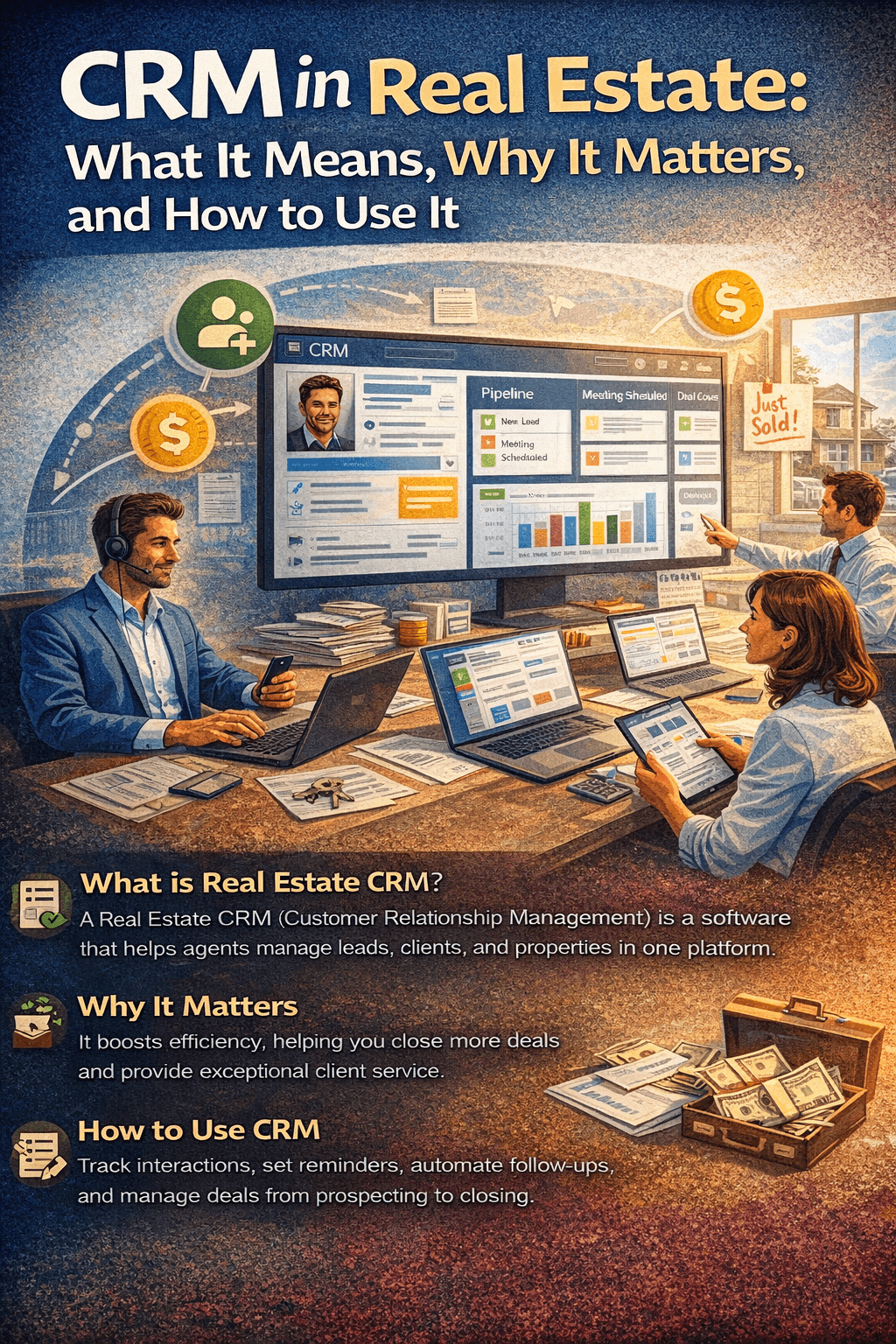
CRM in Real Estate: What It Means, Why It Matters, and How to Use It
I remember the exact moment I
realized I needed a CRM. I was sitting in my car outside a Starbucks, scrolling
through my phone trying to find the name of a seller who’d called me three days
earlier. I knew he owned a property on Oak Street. I knew his wife’s name was
Linda. But I could not, for the life of me, find his phone number. It wasn’t in
my recent calls. It wasn’t in a text. And the sticky note I’d written it on was
somewhere in the black hole between my center console and the passenger seat.
That guy ended up listing with
another agent. And I deserved it, honestly. Because running a real estate
business without a CRM is like trying to run a restaurant without a kitchen —
technically possible for about five minutes before everything falls apart.
If you’ve been hearing the term
“CRM” thrown around at your brokerage, in Facebook groups, or at industry
conferences and still aren’t entirely sure what it means or why everyone’s so
worked up about it, this article is for you. I’m going to explain what CRM
means in real estate, how it actually works in practice, what features matter,
and how to decide whether you need one. No jargon. No sales pitch. Just the
stuff I wish someone had told me before I lost that Oak Street listing.
What Does CRM Mean in Real Estate?
CRM stands for Customer
Relationship Management. That’s the textbook definition, and it’s about as
helpful as saying GPS stands for Global Positioning System. Technically
correct, practically useless.
In real estate, a CRM is
software that helps you keep track of every person you interact with — buyers,
sellers, past clients, leads from open houses, referrals from your sphere,
online inquiries, and everyone in between. It stores their contact information,
remembers every conversation you’ve had, tracks where they are in the buying or
selling process, and reminds you when it’s time to follow up.
Think of it as a digital brain
for your business. Your actual brain is great at building rapport, reading body
language, and negotiating offers. It’s terrible at remembering that you
promised to call Dave Johnson on Thursday to discuss his home valuation, or
that Sarah Martinez’s lease expires in April and she mentioned wanting to buy
her first home.
A CRM remembers all of that for
you. It organizes it. And if you set it up right, it automates large chunks of
the follow-up process so you can focus on the parts of the job that actually
require a human being.
How CRM Works in the Real Estate Industry
Let me walk you through a real
scenario to make this concrete.
A buyer visits your website at
11 PM on a Tuesday. They fill out a form asking about a three-bedroom house in
the suburbs. Without a CRM, that form submission goes to your email. You see it
the next morning, maybe respond, maybe forget because you’re already running to
a closing. The lead goes cold.
With a CRM, here’s what happens
instead. The moment that form is submitted, the CRM creates a new contact
record with the buyer’s name, email, and phone number. It auto-assigns the lead
to you (or to the next available agent if you’re on a team). It sends an
immediate response email saying something like “Thanks for reaching out! I’d
love to help you find the right home. I’ll be in touch tomorrow morning.” It
creates a task on your calendar to call them at 9 AM. And it drops them into an
automated email sequence that sends helpful content about the home buying
process over the next two weeks.
You wake up the next morning,
open your CRM, and see a clear list of exactly who you need to contact and why.
No sticky notes. No digging through emails. No relying on memory. Everything is
organized and waiting for you.
Now multiply that by the 30,
50, or 100 leads you might generate in a month. Without a system, some of those
people will hear back from you. With a CRM, all of them will. That’s the
difference between an agent who closes 8 deals a year and one who closes 30.
Key CRM Features That Matter in Real Estate
Not every CRM is built for real
estate, and not every feature is equally important. Here are the ones that
actually make a difference for agents and brokers.
Contact Management and Organization
This is the foundation. Your
CRM should store every contact’s information in a single, searchable database.
But beyond names and phone numbers, a good real estate CRM lets you tag and
segment contacts by type — buyer, seller, investor, renter, past client, sphere
of influence. It should also track the source of each lead (Zillow, your
website, open house, referral) so you know which marketing channels are
actually working.
Pipeline and Transaction Tracking
A pipeline is a visual
representation of where each deal stands. In real estate, a typical pipeline
might include stages like “New Lead,” “Initial Contact Made,” “Showing
Scheduled,” “Offer Submitted,” “Under Contract,” and “Closed.” Being able to
see all your active deals laid out this way gives you instant clarity on your
business. You know exactly how many deals are in progress, which ones need
attention, and how much commission income is in your near-term pipeline.
Automated Follow-Up
This is where a CRM pays for
itself. The National Association of Realtors reports that it takes an average
of 8 to 12 touchpoints before a lead converts into a client. Very few agents
have the discipline to manually follow up that many times with every lead.
Automated drip campaigns handle it for you — sending emails, texts, and
reminders on a schedule you define. The lead stays warm, and you stay top of
mind, without lifting a finger after the initial setup.
MLS and IDX Integration
Real estate-specific CRMs often
integrate with your local MLS or your IDX website. This means when a lead
browses listings on your site, the CRM tracks which properties they view, how
long they spend, and what price range they’re looking at. That information is
gold. When you call a lead and already know they’ve been looking at
four-bedroom homes under $500,000 in the north side, you sound prepared instead
of generic.
Communication Tools
The best real estate CRMs
include built-in email, text messaging, and sometimes even VoIP phone
integration with softphone capability. Being able to call, email, and text from
inside the CRM means every interaction gets logged automatically. No more forgetting
to record a conversation. No more trying to piece together your history with a
client from scattered emails and phone records.
Reporting and Analytics
You can’t improve what you
don’t measure. A CRM with good reporting tells you how many leads you generated
this month, how many you converted, what your average response time is, and
which lead sources produce the highest-quality prospects. That data helps you
make smarter decisions about where to spend your marketing dollars and where to
focus your time.
Benefits of Using CRM in Real Estate
I’ve been using a CRM for over
seven years now, and the benefits go beyond what any features page can
describe. Here’s what actually changes in your business.
You stop losing leads. This
is the big one. Before I used a CRM, I estimate I was only following up with
about 40 percent of my leads. The rest just fell through the cracks. After
implementing a CRM with automated follow-up, that number jumped to 95 percent.
My pipeline doubled within four months, and I closed an additional seven deals
that year directly attributable to leads I would have previously lost.
You sell more to past
clients. Your past clients are your most valuable asset. They already trust
you. They already had a good experience. But if you don’t stay in touch,
they’ll forget you by the time they need an agent again. A CRM automates the
“stay in touch” part — birthday emails, home anniversary messages, market
updates, check-in calls. The agents with the highest repeat and referral
business are almost always the ones with the best follow-up systems.
You get your time back. Before
a CRM, I was spending roughly two hours every morning organizing my day —
figuring out who to call, what emails to send, and which deals needed
attention. With a CRM, I open my dashboard and everything is prioritized for
me. That two hours became 15 minutes, and I reinvested the rest into
income-producing activities.
You make better decisions. When
you can see your conversion rates by lead source, you stop wasting money on
marketing that doesn’t work. When you can see your average days-to-close by
deal type, you forecast your income more accurately. Data changes how you run
your business, and a CRM is what gives you that data.
Your team operates like a
team. If you’re running a team or brokerage, a CRM makes sure everyone is
working from the same playbook. Leads get distributed fairly. Follow-up
standards get enforced. No one can claim they “didn’t know” about a lead
because everything is documented in the system.
CRM vs. Spreadsheets: When to Make the Switch
I hear this all the time: “I
just use a Google Sheet. It works fine.” And honestly, for a brand new agent
doing five or six deals a year, a spreadsheet can work. It’s free, it’s simple,
and it’s better than nothing.
But spreadsheets break down
fast. They can’t send automated emails. They can’t remind you to follow up.
They can’t integrate with your phone system or your website. They can’t show
you a pipeline view of your deals. And they definitely can’t track which listings
a lead viewed on your website at midnight.
Here’s my general rule: if
you’re handling more than 20 active contacts at a time or closing more than one
deal per month, you need a CRM. The cost is minimal compared to the commission
you’ll lose by letting leads slip through the cracks.
|
Capability |
Spreadsheet |
Real Estate
CRM |
|
Contact storage |
Basic |
Advanced with tags &
segments |
|
Automated follow-up |
Not possible |
Email, text & call
sequences |
|
Pipeline tracking |
Manual & clunky |
Visual drag-and-drop boards |
|
MLS/IDX integration |
None |
Tracks lead browsing
behavior |
|
Call/email logging |
Manual entry only |
Automatic with VoIP
integration |
|
Reporting |
Build it yourself |
Pre-built dashboards &
KPIs |
|
Team management |
Very limited |
Lead routing &
performance tracking |
|
Cost |
Free |
$25–$200/month |
How to Choose a CRM for Your Real Estate Business
If you’ve made it this far and
you’re convinced you need a CRM (you do), here’s how to pick the right one
without getting overwhelmed by the 50-plus options on the market.
Match the CRM to your
business model. Solo agents need simplicity and affordability. Teams need
lead routing and performance dashboards. Brokerages need scalability and
administrative controls. Investors need deal analysis and portfolio tracking.
Commercial agents need relationship mapping and long-cycle pipeline management.
Start by being honest about what you actually need today, not what you might
need in three years.
Prioritize ease of use. The
most powerful CRM in the world is useless if you don’t use it. During your
trial period, ask yourself: does this feel natural? Can I add a new contact in
under 30 seconds? Can I see my daily priorities at a glance? If the answer is
no, keep looking.
Check the integrations. Does
the CRM connect with your email provider, your MLS, your website, your phone
system? The fewer manual steps between your tools, the more likely you are to
maintain the system long-term. Platforms like SMART ERP Suite that include CRM,
VoIP calling with built-in softphone, accounting, and marketing automation in
one system eliminate integration headaches entirely.
Look at the total cost. A
CRM that costs $50 per month but requires a separate email marketing tool at
$30 and a separate phone dialer at $40 isn’t really a $50 CRM. It’s a $120 CRM
with extra complexity. Calculate what you’re spending across all your tools
before comparing prices.
Test it with real work. Don’t
just click around the demo. Import your actual contacts. Set up a real drip
campaign. Make calls through the system. Use it for at least two weeks before
deciding. The CRM that fits your daily workflow is the one you’ll stick with.
Common CRM Mistakes Real Estate Agents Make
I’ve watched a lot of agents
adopt a CRM and then abandon it within three months. It’s almost never the
software’s fault. Here are the patterns I see.
Buying more CRM than you
need. If you’re a solo agent doing 15 deals a year, you don’t need a $300
per month enterprise platform. Start simple. You can always upgrade later.
Not importing your existing
contacts. A CRM is only as good as the data inside it. If you sign up and
leave it empty, of course it won’t help you. Take an afternoon, export your
phone contacts, pull your past client list from your email, and get everything
into the system. That initial effort is what makes everything else work.
Setting it up and then
ignoring it. A CRM requires daily use to be effective. Log your calls.
Update your deal stages. Check your task list every morning. It takes about 15
minutes a day once you’re set up, and that 15 minutes will pay for itself many
times over.
Not using automation. If
you’re manually sending every email and scheduling every follow-up call, you’re
using your CRM as a glorified address book. Set up at least three automated
sequences: one for new buyer leads, one for new seller leads, and one for your
past client database. That alone will transform your follow-up consistency.
Final Thoughts: CRM Is the Foundation of a Real Estate Business That Lasts
I’ve been in this industry long
enough to watch agents come and go. The ones who build sustainable businesses —
the ones who are still here a decade later with growing income and a strong
referral network — all have one thing in common. They built systems. And at the
center of every one of those systems is a CRM.
It doesn’t matter whether you
sell residential, commercial, luxury, or investment properties. It doesn’t
matter whether you’re a solo agent or running a 50-person brokerage. The
fundamental challenge is the same: you need to keep track of hundreds of relationships,
follow up consistently, and never let a lead or a client feel forgotten.
A CRM makes that possible. Not
easy — you still have to do the work. But possible in a way that memory and
spreadsheets simply can’t match.
If you’re looking for a
platform that goes beyond basic CRM and gives you a complete business operating
system — client management, project tracking, built-in VoIP calling with
softphone, accounting, and marketing automation — SMART ERP Suite is worth exploring.
It’s designed for businesses that are tired of stitching together five
different tools and want everything in one place. The 30-day free trial gives
you time to see whether it fits your workflow before you commit.
But whatever you choose, choose
something. Your memory is not a business system. The sooner you accept that,
the sooner your business starts growing.