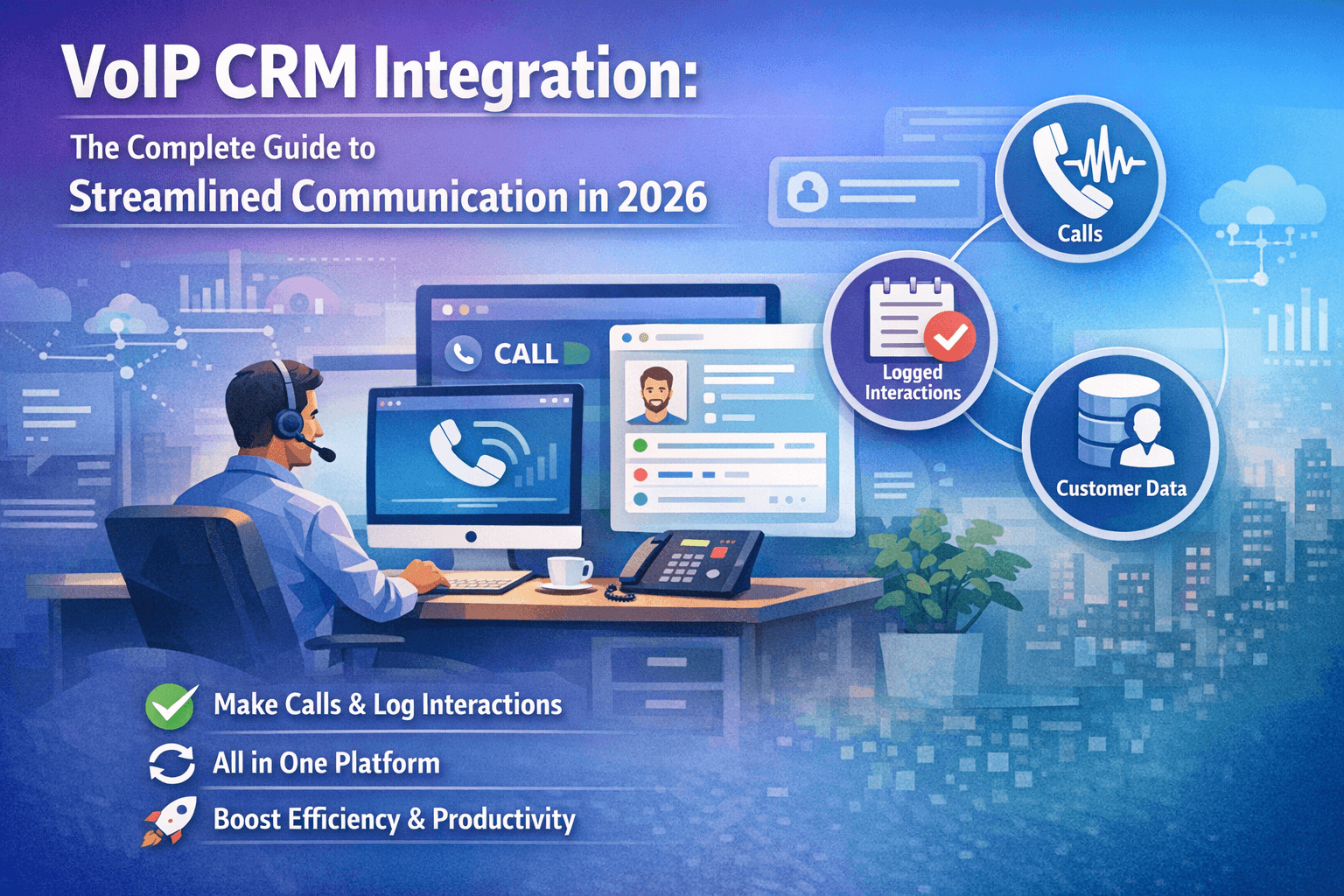
VoIP CRM Integration: The Complete Guide to Streamlined
Communication in 2026
In today's fast-paced business environment, integrating your
Voice over Internet Protocol (VoIP) phone system with Customer Relationship
Management (CRM) software isn't just a luxury—it's a competitive necessity.
VoIP CRM integration enables sales teams to make calls, log interactions, and
access customer data from a single platform, eliminating the need to switch
between multiple applications and dramatically improving efficiency.
This comprehensive guide explores everything you need to
know about VoIP and CRM integration, from understanding the basics to
implementing advanced solutions that can transform your customer communication
strategy.
What is VoIP CRM Integration?
VoIP CRM integration refers to the seamless connection
between your internet-based phone system and customer relationship management
platform. This integration creates a unified communication ecosystem where
phone calls are automatically logged, customer information appears during
calls, and all interactions are tracked within your CRM database.
When you integrate VoIP with CRM software, your team gains
instant access to customer histories, purchase records, and previous
interactions the moment a call connects. This context-rich environment empowers
sales representatives to deliver personalized experiences and resolve issues
more efficiently.
Key Components of VoIP and CRM Systems
VoIP System Features:
- Cloud-based
calling infrastructure
- Call
routing and forwarding
- Interactive
voice response (IVR)
- Call
recording and monitoring
- Softphone
applications
- Video
conferencing capabilities
CRM System Capabilities:
- Contact
and lead management
- Sales
pipeline tracking
- Customer
interaction history
- Reporting
and analytics
- Task
and calendar management
- Email
integration
When combined through CRM with VoIP integration, these
systems create a powerful communication and data management solution.
Why Businesses Need VoIP CRM Integration
The business case for integrating VoIP with CRM is
compelling. Organizations implementing this integration report significant
improvements across multiple metrics:
Productivity Gains
Sales teams spend an average of 21% of their day on manual
data entry. VoIP CRM integration eliminates this burden by automatically
logging calls, capturing call duration, recording outcomes, and updating
customer records in real-time. Representatives can focus on selling rather than
administrative tasks.
Enhanced Customer Experience
When a customer calls, integrated systems instantly display
their complete history—past purchases, previous support tickets, communication
preferences, and outstanding issues. This context allows your team to provide
personalized service from the first moment of contact, significantly improving
customer satisfaction scores.
Improved Data Accuracy
Manual call logging introduces errors and inconsistencies.
Automated VoIP and CRM integration ensures every call is recorded with accurate
timestamps, durations, and outcomes. This clean data becomes invaluable for
forecasting, performance analysis, and strategic decision-making.
Streamlined Workflows
Click-to-call functionality means your team can initiate
calls directly from CRM contact records with a single click. No more copying
phone numbers, no more dialing errors, and no more switching between
applications. This seamless workflow can save each sales representative 30-45
minutes daily.
Better Call Management
Integrated systems enable intelligent call routing based on
CRM data. Incoming calls from VIP customers can be automatically prioritized,
calls can be routed to representatives who have existing relationships with
specific accounts, and call queues can be managed based on lead scores or
customer value.
Top Benefits of Crm VoIP Integration
1. Automatic Call Logging and Recording
Every phone conversation is automatically captured in your
CRM system. Call details including date, time, duration, participants, and
outcomes are recorded without any manual intervention. Many systems also
provide call recording capabilities, allowing managers to review calls for
training purposes or compliance requirements.
2. Real-Time Customer Data Access
The moment a call connects, your system displays the
customer's complete profile including contact information, purchase history,
open opportunities, support tickets, and previous interactions. This instant
access to contextual information transforms every call into an informed
conversation.
3. Click-to-Call Functionality
Eliminate manual dialing by clicking phone numbers directly
within your CRM interface. This feature reduces dialing time, eliminates number
entry errors, and maintains your team's focus on customer conversations rather
than technical tasks.
4. Advanced Call Analytics
Integrated systems provide comprehensive analytics including
call volume trends, average handling times, conversion rates by representative,
peak calling hours, and customer satisfaction metrics. These insights enable
data-driven decisions about staffing, training, and process optimization.
5. Screen Pop and Caller ID
When a customer calls, their CRM record automatically
appears on the representative's screen before they answer. This "screen
pop" feature provides instant context, enabling personalized greetings and
informed conversations from the outset.
6. Unified Communication History
All customer interactions—calls, emails, meetings, chat
conversations—are consolidated in a single timeline within your CRM. This
unified view eliminates information silos and ensures your entire team has
access to complete customer communication history.
How VoIP Integration with CRM Works
Understanding the technical architecture helps businesses
implement and optimize their integration:
Integration Methods
1. Native Integration Many modern CRM platforms
include built-in VoIP capabilities or official partnerships with VoIP
providers. These native integrations typically offer the deepest functionality
and most seamless user experience.
2. API-Based Integration Application Programming
Interfaces (APIs) enable custom connections between VoIP and CRM systems. This
method provides flexibility but may require developer resources for
implementation and maintenance.
3. Third-Party Integration Platforms Middleware
solutions like Zapier, Tray.io, or dedicated telecommunications integration
platforms can connect VoIP and CRM systems without custom development. These
platforms offer pre-built connectors and visual workflow builders.
Technical Requirements
To successfully implement VoIP with CRM integration,
organizations need:
- Stable
internet connection (minimum 100 kbps per concurrent call)
- Compatible
CRM and VoIP platforms
- Proper
network configuration (QoS settings for call quality)
- User
authentication and security protocols
- Integration
credentials and API access
Data Synchronization
The integration synchronizes data bidirectionally:
- From
VoIP to CRM: Call logs, recordings, transcriptions, caller ID
information
- From
CRM to VoIP: Contact information, call routing rules, customer status
flags
This synchronization typically occurs in real-time, ensuring
both systems maintain current, accurate information.
Best VoIP Platforms with CRM Integration
Selecting the right VoIP platform for your CRM integration
requires evaluating features, compatibility, pricing, and scalability:
Top VoIP Solutions for 2026
1. RingCentral
- Extensive
CRM integrations (Salesforce, HubSpot, Zoho, Microsoft Dynamics)
- Advanced
call analytics and reporting
- Video
conferencing and team messaging
- Starting
at $30/user/month
2. Nextiva
- Deep
integration capabilities
- Excellent
call quality and uptime
- Built-in
CRM functionality
- Starting
at $25/user/month
3. 8x8
- Global
coverage with international calling
- Comprehensive
contact center features
- API
access for custom integrations
- Starting
at $28/user/month
4. Aircall
- Designed
specifically for CRM integration
- Intuitive
interface with minimal training required
- Real-time
analytics dashboard
- Starting
at $30/user/month
5. CloudTalk
- Over
35+ CRM integrations
- Advanced
power dialer capabilities
- International
number availability
- Starting
at $25/user/month
Integration with Popular CRM Platforms
Salesforce VoIP Integration Salesforce offers native
telephony integration through Salesforce Service Cloud Voice and Open CTI,
enabling seamless connections with multiple VoIP providers. The integration
provides screen pops, automatic activity logging, and embedded calling directly
within Salesforce.
HubSpot VoIP Integration HubSpot's calling tool
integrates with services like RingCentral, Aircall, and Dialpad. Users can make
calls, send SMS messages, and automatically log all communications within
contact records.
Zoho CRM VoIP Integration Zoho CRM includes built-in
VoIP capabilities through Zoho PhoneBridge, supporting integration with
providers like RingCentral, Twilio, and Vonage. The platform offers
click-to-call, automatic call logging, and call analytics.
Microsoft Dynamics 365 Integration Dynamics 365
integrates with Teams calling and third-party VoIP providers through the
Channel Integration Framework, providing omnichannel communication
capabilities.
How to Integrate VoIP into CRM: Step-by-Step Guide
Implementing VoIP CRM integration requires careful planning
and execution. Follow this comprehensive guide for successful deployment:
Phase 1: Planning and Preparation
Step 1: Define Your Requirements Document your
organization's specific needs:
- Number
of users requiring VoIP access
- Required
features (call recording, analytics, IVR)
- International
calling requirements
- Integration
depth needed with CRM
- Budget
constraints and ROI expectations
Step 2: Evaluate Your Current Infrastructure Assess
your existing technology stack:
- Current
CRM platform and version
- Network
bandwidth and quality
- Hardware
availability (headsets, desk phones)
- Security
and compliance requirements
- IT
team capabilities for implementation and support
Step 3: Select Compatible Platforms Research and
select VoIP providers that offer robust integration with your CRM platform.
Consider factors like:
- Native
integration availability
- API
documentation quality
- Customer
support reputation
- Pricing
structure (per-user vs. usage-based)
- Scalability
for future growth
Phase 2: Implementation
Step 4: Configure Your VoIP System Set up your VoIP
platform:
- Create
user accounts and assign licenses
- Configure
phone numbers and extensions
- Set
up call routing rules and IVR menus
- Configure
voicemail and call forwarding
- Establish
quality of service (QoS) network settings
Step 5: Establish CRM Integration Connect your
systems using one of these methods:
- Enable
native integration through your CRM's app marketplace
- Configure
API connections using provided credentials
- Deploy
third-party integration middleware
- Set
up data mapping between systems (which VoIP fields correspond to which CRM
fields)
Step 6: Configure Call Workflows Design how calls
should be handled:
- Automatic
call logging triggers and fields
- Screen
pop configurations (which information displays)
- Click-to-call
button placement
- Call
recording rules (legal compliance considerations)
- Caller
ID matching rules
Phase 3: Testing and Deployment
Step 7: Conduct Pilot Testing Deploy to a small group
first:
- Test
all integration features thoroughly
- Verify
data synchronization accuracy
- Confirm
call quality and reliability
- Gather
feedback from pilot users
- Identify
and resolve issues before full rollout
Step 8: Train Your Team Provide comprehensive
training covering:
- Making
and receiving calls through the integration
- Accessing
customer information during calls
- Logging
call outcomes and notes
- Using
advanced features (call transfer, conferencing)
- Troubleshooting
common issues
Step 9: Monitor and Optimize After deployment,
continuously improve:
- Track
adoption rates and usage patterns
- Monitor
call quality metrics
- Review
integration reliability
- Collect
user feedback
- Adjust
configurations based on real-world usage
VoIP with CRM Software: Key Features to Look For
When evaluating VoIP CRM integration solutions, prioritize
these essential features:
Essential Integration Features
Automatic Call Logging The system should
automatically create call records in your CRM, capturing caller ID, call
duration, timestamps, and outcomes without manual intervention.
Screen Pop Functionality Customer records should
automatically appear when calls connect, providing immediate context about the
caller's history, preferences, and current status.
Click-to-Dial Users should be able to initiate calls
by clicking phone numbers within CRM records, eliminating manual dialing and
potential errors.
Call Recording and Transcription Automated recording
of calls with optional transcription capabilities enables compliance, training,
and quality assurance activities.
Two-Way Synchronization Changes made in either system
should reflect in the other, maintaining data consistency across platforms.
Advanced Features for Enhanced Performance
Intelligent Call Routing Route incoming calls based
on CRM data such as customer tier, assigned representative, product interest,
or lead score.
Local Presence Display local area codes when calling
customers, significantly increasing answer rates.
Power Dialer Automatically dial through contact
lists, connecting representatives only when calls are answered, maximizing
productive time.
Call Analytics and Reporting Comprehensive dashboards
showing call volumes, conversion rates, average handling times, and performance
metrics.
Multi-Channel Communication Support for voice, SMS,
video, and messaging within the same integrated platform.
CRM with VoIP Integration: Implementation Best Practices
Maximize your integration success with these proven
strategies:
Data Quality Management
Clean, accurate data is fundamental to effective
integration. Before implementation:
- Deduplicate
contact records
- Standardize
phone number formatting
- Verify
contact information accuracy
- Establish
data entry standards
- Implement
validation rules
User Adoption Strategies
Technology only delivers value when people use it:
- Involve
end-users in selection and testing
- Provide
hands-on training sessions
- Create
quick-reference guides and videos
- Designate
integration champions within teams
- Celebrate
early wins and success stories
Security and Compliance
Protect customer data and maintain compliance:
- Implement
role-based access controls
- Enable
call recording disclosure (legal requirements vary by jurisdiction)
- Establish
data retention policies
- Configure
encryption for call data
- Maintain
audit trails of system access
Performance Monitoring
Track key metrics to ensure ongoing success:
- Call
connection success rates
- Data
synchronization accuracy
- System
uptime and reliability
- User
adoption percentages
- ROI
metrics (time saved, productivity improvements)
Continuous Improvement
Integration isn't a one-time project:
- Schedule
regular user feedback sessions
- Review
analytics to identify optimization opportunities
- Stay
current with platform updates and new features
- Refine
call workflows based on performance data
- Expand
integration capabilities as business needs evolve
Common Challenges and Solutions
Organizations implementing VoIP and CRM integration often
encounter these challenges:
Challenge 1: Poor Call Quality
Problem: Choppy audio, dropped calls, or latency
issues undermine the integration's value.
Solutions:
- Conduct
network assessment and bandwidth testing
- Implement
Quality of Service (QoS) settings
- Prioritize
VoIP traffic on your network
- Consider
dedicated internet connections for VoIP
- Use
wired connections instead of Wi-Fi for desk phones
Challenge 2: Low User Adoption
Problem: Teams continue using separate systems or
manual processes.
Solutions:
- Provide
comprehensive, role-specific training
- Demonstrate
time savings and productivity benefits
- Gather
and address user feedback
- Simplify
workflows to reduce complexity
- Recognize
and reward adoption
Challenge 3: Data Synchronization Issues
Problem: Information doesn't sync properly between
systems or updates are delayed.
Solutions:
- Verify
API credentials and permissions
- Check
integration configuration settings
- Monitor
error logs and resolve issues promptly
- Establish
clear data mapping rules
- Implement
regular data quality audits
Challenge 4: Integration Complexity
Problem: Complex technical requirements overwhelm
internal IT resources.
Solutions:
- Choose
platforms with native integration capabilities
- Engage
vendor professional services for implementation
- Use
third-party integration platforms to simplify connections
- Develop
phased implementation approach
- Consider
managed service providers for ongoing support
Challenge 5: Cost Management
Problem: Unexpected costs from additional licensing,
usage overages, or implementation services.
Solutions:
- Thoroughly
review pricing structures before commitment
- Start
with pilot deployments to validate costs
- Monitor
usage patterns to optimize license allocation
- Negotiate
volume discounts with vendors
- Consider
total cost of ownership, not just licensing fees
VoIP CRM Integration ROI: Measuring Success
Quantify your integration's business impact with these
metrics:
Productivity Metrics
- Time
Saved: Measure hours saved from eliminated manual data entry
- Call
Volume: Track increase in calls handled per representative
- Data
Entry Reduction: Calculate decrease in administrative time
Sales Performance Metrics
- Conversion
Rates: Monitor improvements in lead-to-customer conversion
- Sales
Cycle Length: Track reduction in time from first contact to closed
deal
- Revenue
Per Representative: Measure increase in individual productivity
Customer Experience Metrics
- First
Call Resolution: Track percentage of issues resolved in single call
- Average
Handle Time: Monitor efficiency improvements in call handling
- Customer
Satisfaction Scores: Measure improvement in post-call surveys
- Net
Promoter Score: Track customer loyalty and recommendation likelihood
Cost Metrics
- Cost
Per Call: Calculate reduction in telephony expenses
- Labor
Efficiency: Measure revenue generated per labor dollar
- System
Consolidation Savings: Quantify savings from retiring redundant tools
Example ROI Calculation
Consider a 50-person sales team implementing VoIP CRM
integration:
Costs:
- VoIP
licenses: $30/user/month × 50 = $1,500/month
- Integration
setup: $5,000 one-time
- Training:
$2,000 one-time
- Annual
Cost: $25,000
Benefits:
- Time
saved (30 min/day/person): 625 hours/month × $50/hour = $31,250/month
- Improved
conversion (5% increase): Additional $20,000/month revenue
- Annual
Benefit: $615,000
ROI: (($615,000 - $25,000) / $25,000) × 100 = 2,360%
annual ROI
CRM VoIP Software: Industry-Specific Solutions
Different industries have unique communication requirements:
Real Estate VoIP CRM Integration
Real estate professionals benefit from:
- Local
presence calling for different property markets
- Automated
follow-up sequences for leads
- Integration
with property listing databases
- SMS
capabilities for quick client communication
- Open
house scheduling and reminder systems
Recommended Solution: SMART ERP Suite offers specialized real
estate CRM features with native VoIP integration, enabling agents to manage
properties, clients, and communications from a unified platform.
Healthcare VoIP CRM Integration
Healthcare organizations require:
- HIPAA-compliant
call recording and storage
- Patient
appointment scheduling integration
- Automated
appointment reminders
- Emergency
call routing protocols
- Telehealth
video capabilities
Financial Services VoIP CRM Integration
Financial advisors need:
- Secure,
encrypted communications
- Compliance
recording and retention
- Client
portfolio integration during calls
- Appointment
scheduling synchronized with calendars
- Document
sharing capabilities during calls
Insurance VoIP CRM Integration
Insurance agencies benefit from:
- Claims
status integration during customer calls
- Policy
information screen pops
- Quote
follow-up automation
- Multi-line
management for different insurance products
- Recording
for quality assurance and compliance
Manufacturing and Distribution
B2B operations require:
- Integration
with inventory and order management systems
- Customer
purchase history visibility during calls
- Order
status inquiry handling
- Technical
support escalation workflows
- Multi-location
call routing
Future Trends in VoIP and CRM Integration
The integration landscape continues evolving with emerging
technologies:
Artificial Intelligence and Machine Learning
AI-powered features transforming VoIP CRM integration
include:
- Conversation
Intelligence: Real-time analysis of call content to identify customer
sentiment, buying signals, and coaching opportunities
- Predictive
Dialing: AI algorithms determining optimal calling times based on
customer behavior patterns
- Automated
Transcription: Converting calls to searchable text with automatic
summaries
- Voice
Biometrics: Enhancing security through voice-based customer
authentication
- Sentiment
Analysis: Real-time mood detection enabling representatives to adjust
their approach
Enhanced Mobile Capabilities
Mobile integration improvements include:
- Seamless
transitions between desk and mobile devices
- Location-based
call routing
- Mobile-optimized
screen pops
- Offline
call logging with automatic sync
- Mobile
video calling within CRM
Omnichannel Communication
The future brings unified platforms supporting:
- Voice,
video, SMS, email, chat, and social media in single interface
- Consistent
customer context across all channels
- Channel
preference tracking and automatic routing
- Unified
reporting across communication methods
Advanced Analytics
Next-generation analytics capabilities:
- Predictive
customer churn identification
- Automated
coaching recommendations for representatives
- Cross-functional
performance dashboards
- Revenue
forecasting based on call patterns
- Quality
assurance automation using AI
Choosing the Right VoIP CRM Integration Solution
Select the optimal solution by evaluating these critical
factors:
Compatibility Assessment
Ensure seamless integration between your chosen platforms:
- Verify
native integration availability
- Review
API documentation comprehensiveness
- Check
for supported CRM versions
- Confirm
feature parity across integrations
- Assess
update frequency and support lifecycle
Scalability Considerations
Choose solutions that grow with your business:
- Flexible
user licensing models
- Infrastructure
capacity for expansion
- Performance
at scale (response times with thousands of contacts)
- Geographic
coverage for multi-location operations
- Feature
availability across pricing tiers
Total Cost Analysis
Consider all financial aspects:
- Per-user
licensing costs
- Implementation
and setup fees
- Training
expenses
- Ongoing
support costs
- Potential
integration maintenance fees
- Hidden
costs (international calling, storage, premium features)
Vendor Evaluation
Assess provider reliability and support:
- Company
stability and market presence
- Customer
support responsiveness and availability
- Implementation
assistance provided
- User
community and documentation quality
- Product
roadmap and innovation commitment
- References
from similar organizations
Security and Compliance
Prioritize data protection:
- Industry-specific
compliance certifications (HIPAA, PCI-DSS, SOC 2)
- Data
encryption standards (in transit and at rest)
- Access
control capabilities
- Audit
trail functionality
- Data
residency options for international operations
- Incident
response procedures
SMART ERP Suite: Your Complete VoIP CRM Integration
Solution
SMART ERP Suite
delivers comprehensive VoIP CRM integration designed for modern businesses. Our
platform combines powerful CRM capabilities with advanced VoIP features,
creating a unified communication and customer management solution.
Why Choose SMART ERP Suite?
Native VoIP Integration Our built-in telephony system
eliminates the need for third-party integrations, providing seamless calling,
automatic logging, and advanced features out of the box.
Industry-Specific Solutions We offer specialized
configurations for real estate, healthcare, financial services, and other
industries, with pre-built workflows and features tailored to your business
needs.
Comprehensive Feature Set
- Click-to-call
from any contact or lead record
- Automatic
call logging with AI-powered transcription
- Real-time
customer screen pops with complete history
- Advanced
call analytics and performance dashboards
- Built-in
power dialer for outbound campaigns
- SMS
and email integration for omnichannel communication
- Mobile
apps for iOS and Android
- Customizable
call routing and IVR
Enterprise-Grade Security
- SOC 2
Type II certified
- End-to-end
encryption
- Role-based
access controls
- Comprehensive
audit trails
- HIPAA
compliant options available
Exceptional Support
- Dedicated
implementation specialists
- Comprehensive
training programs
- 24/7
technical support
- Regular
platform updates and enhancements
- Active
user community and knowledge base
Flexible Pricing Starting at $49/user/month with no
hidden fees, including:
- Unlimited
calling (US and Canada)
- Complete
CRM functionality
- Advanced
VoIP features
- Mobile
access
- Standard
support
Get Started Today
Transform your customer communication with SMART ERP Suite's
integrated VoIP CRM solution. Visit smarterpsuite.com
to schedule a demo or start your free 30-day trial.
Learn more about our specialized solutions:
- Real Estate CRM
with Built-in VoIP
- Healthcare
Communication Platform
- Financial
Services CRM
- VoIP Features Overview
Conclusion
VoIP CRM integration represents a fundamental shift in how
businesses manage customer communications. By unifying telephony and customer
relationship management, organizations eliminate inefficiencies, enhance
customer experiences, and empower teams with the context and tools they need to
succeed.
The implementation journey requires careful planning, the
right technology partners, and commitment to user adoption. However, the
benefits—improved productivity, better customer satisfaction, enhanced data
quality, and significant ROI—make the effort worthwhile.
As communication technologies continue evolving with AI,
mobile capabilities, and omnichannel integration, businesses that establish
strong VoIP CRM foundations today position themselves for continued success
tomorrow.
Whether you're a small business seeking to streamline
operations or an enterprise organization managing thousands of customer
interactions daily, VoIP CRM integration offers transformative potential. The
key is selecting solutions aligned with your specific needs, implementing
thoughtfully, and continuously optimizing based on performance data.
Start your integration journey today and experience the
power of unified customer communication.
Frequently Asked Questions
What is VoIP CRM integration? VoIP CRM integration
connects your internet-based phone system with your customer relationship
management software, enabling automatic call logging, screen pops with customer
information, click-to-call functionality, and unified communication history within
a single platform.
How much does VoIP CRM integration cost? Costs vary
based on provider and features, typically ranging from $25-75 per user per
month for VoIP services plus CRM licensing fees. Many platforms like SMART ERP
Suite offer all-in-one solutions starting at $49/user/month.
Can I integrate VoIP with my existing CRM? Most major
CRM platforms support VoIP integration through native features, APIs, or
third-party integration tools. Popular CRMs like Salesforce, HubSpot, Zoho, and
Microsoft Dynamics all offer robust integration options.
What are the main benefits of integrating VoIP with CRM?
Key benefits include automatic call logging, increased productivity (up to 40%
time savings), improved customer experiences through instant access to customer
history, better data accuracy, streamlined workflows, and comprehensive
analytics.
Do I need special equipment for VoIP CRM integration?
Most modern integrations work with standard computers, headsets, and internet
connections. Some organizations choose to add dedicated VoIP desk phones, but
cloud-based solutions primarily use softphones (software applications).
How long does it take to implement VoIP CRM integration?
Implementation timelines vary from a few days for simple native integrations to
several weeks for complex, customized deployments. Planning, testing, and
training phases typically take 2-6 weeks for most organizations.
Is VoIP CRM integration secure? Reputable providers
offer enterprise-grade security including encryption, access controls, and
compliance certifications. Ensure your chosen solution meets industry-specific
requirements like HIPAA for healthcare or PCI-DSS for payment processing.
Can VoIP CRM integration work with remote teams? Yes,
cloud-based VoIP CRM integrations are ideal for remote and distributed teams,
providing consistent functionality regardless of location. Mobile apps ensure
field representatives have the same capabilities as office-based staff.
Related Resources:
- Complete
Guide to CRM Software Selection
- Sales
Productivity Tools and Best Practices
- Customer
Communication Strategies for 2026
- Cloud
Phone Systems Buyer's Guide
Ready to transform your customer communications? Start your free trial of SMART ERP
Suite today and experience the power of integrated VoIP CRM technology.