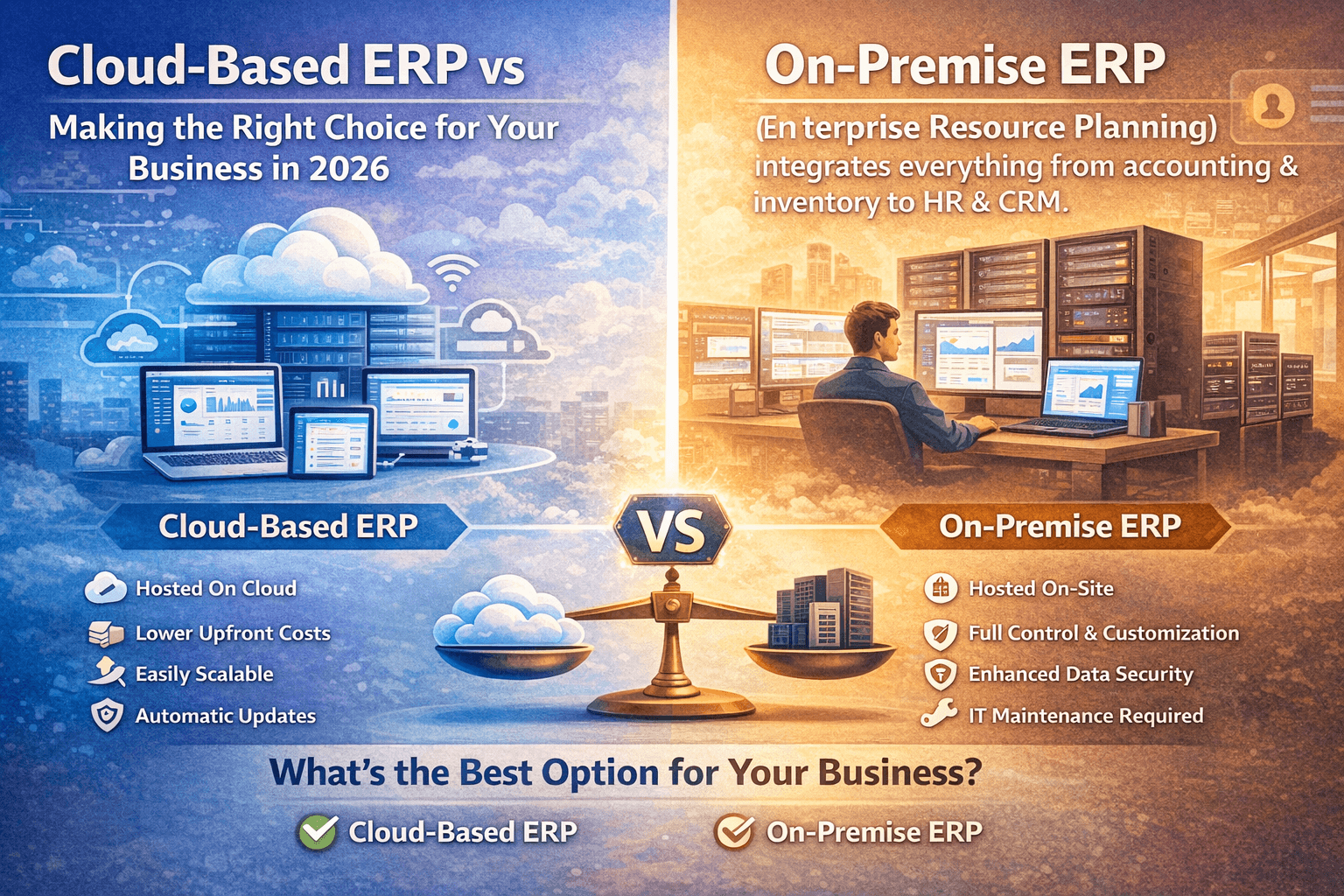
Cloud-Based ERP vs On-Premise: Making the Right Choice
for Your Business in 2026
Choosing between cloud-based ERP and on-premise solutions is
one of the most critical technology decisions your business will make. This
choice affects not only your immediate costs but also your company's agility,
scalability, security, and competitive position for years to come.
Enterprise Resource Planning (ERP) systems serve as the
digital backbone of modern businesses, integrating everything from accounting
and inventory to human resources and customer relationship management. While
both cloud-based and on-premise deployments offer complete ERP functionality,
they differ fundamentally in how they're hosted, accessed, maintained, and
scaled.
This comprehensive guide examines every aspect of the
cloud-based ERP vs on-premise debate, providing you with data-driven insights,
real-world examples, and expert analysis to inform your decision.
What is Cloud-Based ERP?
Cloud-based ERP (also called cloud ERP or SaaS ERP) is
enterprise resource planning software hosted on the vendor's servers and
accessed through the internet via web browsers or mobile apps. Rather than
installing software on your local servers, you access the system remotely,
paying a subscription fee typically calculated per user per month.
How Cloud-Based ERP Works
When you implement a cloud-based ERP system, your vendor
hosts all the software, databases, and infrastructure in their data centers (or
through third-party cloud providers like AWS, Microsoft Azure, or Google
Cloud). Your team accesses the system through secure internet connections, with
all data processing, storage, and backup happening in the cloud.
Key Characteristics of Cloud-Based ERP:
- Subscription-based
pricing model
- Vendor
manages all infrastructure and maintenance
- Automatic
software updates and security patches
- Access
from anywhere with internet connectivity
- Rapid
deployment (weeks instead of months)
- Predictable
monthly operating expenses
- Built-in
disaster recovery and redundancy
Popular Cloud-Based ERP Solutions
Leading cloud ERP platforms include Salesforce, NetSuite,
Microsoft Dynamics 365, SAP S/4HANA Cloud, Oracle Cloud ERP, Acumatica, and SMART ERP Suite, which offers
industry-specific cloud solutions designed for modern businesses.
What is On-Premise ERP?
On-premise ERP refers to enterprise resource planning
software installed and operated on your company's own servers and computing
infrastructure. Your IT team manages all aspects of the system, from
installation and configuration to ongoing maintenance, security, and updates.
How On-Premise ERP Works
With on-premise deployment, you purchase perpetual software
licenses, install the ERP system on servers located in your facilities, and
assign internal IT resources to manage the entire technology stack. Your data
resides exclusively on your infrastructure, and users typically access the
system through your local network (though remote access can be configured
through VPN connections).
Key Characteristics of On-Premise ERP:
- Large
upfront capital expenditure for licenses and hardware
- Complete
control over infrastructure and customization
- Internal
IT team manages all maintenance and updates
- Data
resides on company-owned servers
- Longer
implementation timelines (6-18 months typical)
- Predictable
long-term costs after initial investment
- Requires
dedicated server room and backup systems
Popular On-Premise ERP Solutions
Traditional on-premise ERP systems include SAP ECC, Oracle
E-Business Suite, Microsoft Dynamics GP, Infor ERP, Epicor, and Sage, though
many of these vendors now offer cloud alternatives.
Cloud-Based ERP vs Traditional ERP: Key Differences
Understanding the fundamental differences between these
deployment models is essential for making an informed decision.
Deployment and Infrastructure
Cloud-Based ERP: The vendor handles all
infrastructure, hosting software on their servers or major cloud platforms.
Implementation involves configuration rather than installation, with systems
often operational within weeks. No physical infrastructure required at your location
beyond internet connectivity and endpoint devices.
On-Premise ERP: Your organization purchases,
installs, and maintains all physical infrastructure including servers, storage
systems, networking equipment, backup systems, and dedicated server rooms with
appropriate cooling, power, and physical security. Implementation requires
extensive planning, hardware procurement, installation, configuration, and
testing—typically spanning 6-18 months.
Cost Structure
Cloud-Based ERP: Operates on a subscription model
(OpEx) with monthly or annual fees based on user count, modules, and usage.
Costs include software access, hosting, maintenance, security, updates, and
support. Initial investment remains minimal—primarily implementation services
and user training. Predictable, recurring expenses simplify budgeting.
On-Premise ERP: Requires substantial upfront capital
expenditure (CapEx) for perpetual software licenses, server hardware, storage
systems, networking equipment, backup infrastructure, and implementation
services. Ongoing costs include IT staff salaries, maintenance contracts
(typically 15-20% of license cost annually), electricity, cooling, and periodic
hardware refreshes every 3-5 years.
Maintenance and Updates
Cloud-Based ERP: Vendors handle all maintenance,
security patches, and feature updates automatically. New functionality becomes
available continuously without disruption. Your team benefits from improvements
immediately without additional cost or effort. System reliability and uptime
become the vendor's responsibility.
On-Premise ERP: Your IT team manages all maintenance
activities, including applying security patches, installing updates, testing
compatibility, managing database optimization, and coordinating upgrade
projects. Major version upgrades represent significant projects requiring
extensive testing, customization migration, and user training—often costing
hundreds of thousands of dollars.
Accessibility and Mobility
Cloud-Based ERP: Access from any location with
internet connectivity using laptops, tablets, or smartphones. Built-in mobile
apps provide full or partial functionality on the go. Remote work,
multi-location operations, and field access happen naturally. Real-time data synchronization
across all devices ensures everyone works with current information.
On-Premise ERP: Access typically limited to corporate
network. Remote access requires VPN connections, which can be slow and complex.
Mobile access often requires additional licensing and configuration.
Multi-location deployments necessitate complex network infrastructure or
separate instances requiring data synchronization.
Scalability and Flexibility
Cloud-Based ERP: Scale user licenses, storage, and
computing resources up or down with minimal friction. Add new users instantly,
enable additional modules with configuration changes, and expand to new
locations without infrastructure investments. Resources scale automatically
during peak periods.
On-Premise ERP: Scaling requires hardware purchases,
installation, configuration, and often extended downtime. Adding users may
require server upgrades. New locations necessitate significant infrastructure
investments. Capacity planning must anticipate future growth, often leading to
over-provisioning and wasted resources.
Security and Compliance
Cloud-Based ERP: Vendors invest heavily in security
infrastructure, employing dedicated security teams, implementing multiple
layers of protection, achieving industry certifications (SOC 2, ISO 27001,
HIPAA, etc.), and providing built-in disaster recovery and geographic
redundancy. However, data resides outside your direct control.
On-Premise ERP: Your organization maintains complete
control over security policies, data access, and compliance measures.
Appropriate for industries with strict data residency requirements or highly
sensitive information. However, security quality depends entirely on your IT
team's expertise and budget. Many small to mid-sized organizations lack
resources to implement enterprise-grade security.
Customization Capabilities
Cloud-Based ERP: Customization approaches vary by
vendor. Modern cloud ERP platforms emphasize configuration over customization,
offering extensive built-in options, workflow automation, custom fields, and
API integrations. Deep code-level customization may be limited or discouraged
(as it complicates updates), though low-code/no-code platforms provide
significant flexibility.
On-Premise ERP: Complete customization freedom—modify
source code, create custom modules, integrate proprietary systems, and tailor
every aspect to exact specifications. However, customizations complicate
upgrades (often requiring costly re-implementation) and create vendor
dependence on consultants who understand your unique environment.
Benefits of Cloud-Based ERP
Organizations increasingly favor cloud ERP for compelling
strategic and operational advantages:
1. Lower Total Cost of Ownership
Cloud ERP eliminates massive upfront capital expenditures,
replacing them with predictable subscription fees. You avoid costs for server
hardware ($50,000-$500,000+), software licenses ($100,000-$1,000,000+ depending
on users and modules), implementation services, backup systems, and dedicated
IT staff.
Total Cost Example (100 users, 5 years):
- Cloud
ERP: ~$600,000-$900,000 total (subscription + implementation)
- On-Premise
ERP: ~$1,200,000-$2,500,000+ total (licenses + hardware + implementation +
maintenance + IT staff)
2. Faster Time to Value
Cloud ERP implementations typically complete in 3-6 months
compared to 12-24+ months for on-premise systems. Faster deployment means
earlier ROI realization, quicker response to competitive pressures, and reduced
disruption to operations.
Companies can go live with core modules quickly, then
progressively add functionality—an approach called "phased
deployment" that minimizes risk and accelerates value creation.
3. Automatic Updates and Innovation
Access new features, security enhancements, and performance
improvements automatically without expensive upgrade projects. Vendors
continuously improve their platforms, and all customers benefit from innovation
without additional cost or implementation effort.
Traditional on-premise upgrades cost $200,000-$2,000,000 and
occur every 5-7 years (if at all—many companies run severely outdated versions
due to upgrade costs). Cloud customers enjoy continuous improvement without
disruption.
4. Enhanced Business Agility
Rapidly adapt to changing market conditions, scale resources
to match demand, launch new locations without infrastructure delays, and
implement new business models quickly. Cloud ERP supports organizational
agility in ways on-premise systems cannot match.
During the COVID-19 pandemic, organizations with cloud ERP
seamlessly shifted to remote work, while on-premise users struggled with VPN
capacity, performance issues, and access limitations.
5. Built-In Disaster Recovery
Cloud ERP vendors maintain redundant data centers, automated
backup systems, and tested disaster recovery procedures. Your data remains
protected and accessible even during hardware failures, natural disasters, or
cyber incidents.
Implementing equivalent disaster recovery for on-premise ERP
costs hundreds of thousands of dollars and requires sophisticated IT
expertise—resources beyond most small to mid-sized organizations.
6. Improved Collaboration
Cloud platforms facilitate real-time collaboration across
departments, locations, and time zones. Multiple users can work on the same
records simultaneously, changes synchronize instantly, and everyone accesses
current data. Modern interfaces support comments, notifications, and workflow
approvals that streamline processes.
7. Access to Advanced Technologies
Cloud ERP vendors integrate cutting-edge capabilities
including artificial intelligence, machine learning, predictive analytics, and
process automation. These technologies require significant development
investment—viable only for large software companies serving many customers.
Small to mid-sized organizations gain access to
enterprise-grade innovation through cloud ERP that would be financially
impossible to develop internally or procure for on-premise deployment.
Advantages of Cloud-Based ERP for Different Industries
Cloud-based ERP systems deliver industry-specific benefits:
Manufacturing
Cloud-based ERP systems for manufacturing provide real-time
visibility into production, inventory, and supply chain operations across
multiple facilities. Benefits include:
- Connected
factory initiatives with IoT sensor integration
- Supply
chain collaboration with vendors and customers
- Demand
forecasting using AI and historical data
- Quality
management with automated compliance tracking
- Remote
monitoring of production lines and equipment
SMART
ERP Suite for Manufacturing offers specialized cloud features for
production planning, inventory optimization, and quality control.
Distribution and Wholesale
Cloud ERP for distributors enables multi-location inventory
visibility, automated replenishment, and real-time order processing:
- Warehouse
management with mobile scanning
- Automated
purchase order generation
- Multi-location
inventory transfer and allocation
- Supplier
portal integration for drop shipping
- Route
optimization for delivery operations
Retail and E-commerce
Cloud platforms integrate online and offline sales channels,
providing unified inventory, customer data, and fulfillment:
- Omnichannel
inventory availability
- Real-time
order synchronization from multiple channels
- Customer
loyalty program integration
- Point-of-sale
connectivity
- Marketplace
integration (Amazon, eBay, Shopify)
Professional Services
Service-based organizations benefit from project management,
resource allocation, and time tracking capabilities:
- Project
profitability tracking
- Resource
capacity planning
- Time
and expense capture with mobile apps
- Client
portal for collaboration
- Automated
billing and revenue recognition
Healthcare and Medical Devices
Cloud ERP systems designed for healthcare offer compliance
capabilities, supply chain management, and patient safety features:
- FDA
compliance tracking and documentation
- Lot
traceability and recall management
- Equipment
maintenance scheduling
- HIPAA-compliant
data handling
- Integration
with electronic health records
Cloud-Based ERP vs On-Premise: Total Cost of Ownership
Analysis
Understanding true costs requires examining all expenditures
over a realistic timeframe (5-10 years):
Cloud-Based ERP Costs
Initial Costs:
- Implementation
and configuration: $50,000-$500,000
- Data
migration services: $10,000-$100,000
- Integration
development: $20,000-$200,000
- User
training: $10,000-$50,000
- Total
Initial Investment: $90,000-$850,000
Ongoing Annual Costs (100 users):
- Subscription
fees: $60,000-$180,000
- Additional
storage or usage: $5,000-$20,000
- Ongoing
training and support: $10,000-$30,000
- Third-party
integrations: $5,000-$20,000
- Total
Annual Operating: $80,000-$250,000
5-Year Total: $490,000-$2,100,000
On-Premise ERP Costs
Initial Costs:
- Software
licenses (perpetual): $200,000-$1,500,000
- Server
and infrastructure hardware: $100,000-$500,000
- Implementation
and configuration: $100,000-$1,000,000
- Data
migration and integration: $50,000-$300,000
- Network
and security infrastructure: $30,000-$150,000
- Backup
and disaster recovery systems: $30,000-$200,000
- User
training: $20,000-$100,000
- Total
Initial Investment: $530,000-$3,750,000
Ongoing Annual Costs:
- Software
maintenance (15-20% of license cost): $30,000-$300,000
- IT
staff (1-3 FTEs): $100,000-$350,000
- Hardware
maintenance and repairs: $10,000-$50,000
- Electricity
and cooling: $10,000-$30,000
- Security
software and tools: $10,000-$50,000
- Backup
and recovery systems: $5,000-$30,000
- Total
Annual Operating: $165,000-$810,000
5-Year Total: $1,355,000-$7,800,000
Major Upgrade (every 5-7 years): $200,000-$2,000,000
These figures demonstrate that cloud ERP typically costs
30-60% less over five years, with the gap widening further when accounting for
major version upgrades required for on-premise systems.
Cloud-Based ERP System Security: Addressing Common
Concerns
Security concerns frequently arise in cloud vs on-premise
discussions. Let's examine the reality:
Cloud ERP Security Advantages
Professional Security Teams: Cloud ERP vendors employ
dedicated security professionals—typically 50-500+ specialists across
infrastructure security, application security, compliance, and incident
response. Small to mid-sized companies cannot justify similar investments.
Continuous Monitoring: Cloud platforms implement 24/7
security monitoring, automated threat detection, real-time alerts, and
immediate response to incidents. Security information and event management
(SIEM) systems analyze millions of events daily, identifying anomalies humans
would miss.
Regular Security Audits: Reputable cloud ERP vendors
undergo regular third-party security assessments, penetration testing, and
compliance audits. They achieve certifications including SOC 2 Type II, ISO
27001, HIPAA, PCI-DSS, and industry-specific standards.
Advanced Protection Technologies: Cloud platforms
implement multiple security layers including next-generation firewalls,
intrusion detection/prevention systems, web application firewalls, DDoS
protection, advanced encryption (in transit and at rest), and sophisticated
access controls with multi-factor authentication.
Automatic Patching: Security vulnerabilities get
patched immediately across all customer instances. With on-premise ERP,
companies often run unpatched systems for months (or years) due to testing
requirements, change management processes, or resource constraints—creating exploitable
security gaps.
On-Premise Security Challenges
Resource Limitations: Most organizations lack budget
and expertise to implement enterprise-grade security. A single qualified
security professional costs $100,000-$200,000+ annually—prohibitive for many
companies.
Delayed Patching: Critical security patches often go
unapplied for extended periods. The infamous WannaCry ransomware attack in 2017
exploited a Windows vulnerability for which patches had been available for
months—yet hundreds of thousands of systems remained vulnerable.
Insider Threats: On-premise systems face higher
insider threat risks. Employees with system access can potentially exfiltrate
data, make unauthorized changes, or introduce malware. Cloud systems implement
sophisticated access controls, activity logging, and behavior analytics that
detect anomalous insider activity.
Physical Security: On-premise systems require
physical security measures—secured server rooms, access controls, surveillance
systems, and environmental controls. Many small to mid-sized organizations
house servers in inadequate spaces (closets, unsecured rooms) without proper
protections.
Data Sovereignty and Compliance
Some industries or jurisdictions require data to remain
within specific geographic boundaries. Reputable cloud ERP vendors address
these requirements through:
- Geographic
data center selection (choose where your data resides)
- Region-specific
instances meeting local regulations
- Compliance
certifications for specific industries and jurisdictions
- Data
residency guarantees in service level agreements
Organizations in highly regulated industries (defense,
government, classified research) may still require on-premise deployment.
However, this represents a small minority of businesses—most can meet
compliance requirements with cloud ERP.
Cloud-Based ERP Implementation: Best Practices
Successful cloud ERP implementation requires careful
planning and execution:
Phase 1: Requirements and Vendor Selection
Define Requirements (4-6 weeks):
- Document
current processes and pain points
- Identify
must-have vs. nice-to-have features
- Determine
integration requirements
- Establish
budget parameters
- Define
success metrics
Evaluate Vendors (4-8 weeks):
- Request
demonstrations from 3-5 vendors
- Conduct
reference checks with similar companies
- Review
security and compliance certifications
- Analyze
total cost of ownership
- Assess
implementation methodology and support
Phase 2: Planning and Preparation
Project Planning (2-4 weeks):
- Assemble
project team with executive sponsor
- Define
project scope and timeline
- Establish
governance structure
- Create
communication plan
- Identify
risks and mitigation strategies
Data Preparation (4-8 weeks):
- Audit
existing data quality
- Clean
and deduplicate records
- Map
data fields to new system
- Establish
data migration approach
- Archive
historical data not needed in new system
Phase 3: Configuration and Testing
System Configuration (6-12 weeks):
- Configure
system settings and preferences
- Set
up user roles and permissions
- Customize
workflows and approvals
- Configure
reports and dashboards
- Develop
integrations with other systems
Testing and Validation (4-6 weeks):
- Conduct
unit testing of individual features
- Perform
integration testing across modules
- Execute
user acceptance testing with business users
- Test
data migration procedures
- Validate
security and access controls
Phase 4: Training and Go-Live
User Training (3-4 weeks):
- Develop
role-specific training materials
- Conduct
hands-on training sessions
- Create
quick reference guides
- Establish
super-user network
- Provide
practice environment for exploration
Go-Live and Stabilization (2-4 weeks):
- Execute
cutover plan (often over weekend)
- Migrate
production data
- Monitor
system performance closely
- Provide
intensive user support
- Address
issues quickly
- Collect
feedback for continuous improvement
Typical Cloud ERP Timeline: 3-6 months (compared to
12-24+ months for on-premise)
Cloud-Based ERP Vendors: Leading Solutions
Enterprise-Grade Cloud ERP
SAP S/4HANA Cloud SAP's cloud ERP platform offers
comprehensive functionality for large enterprises with complex requirements.
Strengths include advanced analytics, supply chain capabilities, and
industry-specific solutions. Implementation complexity and cost make it most
suitable for organizations with $100M+ revenue.
Oracle Cloud ERP Oracle provides complete cloud ERP
including financials, procurement, project management, and risk management.
Strong integration with Oracle's broader cloud ecosystem (HCM, SCM, CX). Best
suited for mid-sized to large enterprises.
Microsoft Dynamics 365 Microsoft's cloud platform
combines ERP and CRM capabilities with deep integration into Microsoft 365 and
Azure. Intuitive interface and familiar Microsoft experience reduce training
requirements. Scales from small businesses to large enterprises.
NetSuite Oracle NetSuite pioneered cloud ERP,
offering comprehensive functionality for mid-market companies. Unified platform
includes financials, CRM, e-commerce, and inventory management. Strong
multi-subsidiary and international capabilities.
Mid-Market Cloud ERP Solutions
Acumatica Consumption-based pricing (pay for resource
usage, not users) makes Acumatica attractive for growing companies. Highly
customizable with strong developer community. Excellent for distribution,
manufacturing, and retail.
Sage Intacct Financial management-focused cloud ERP
particularly strong in services industries, nonprofits, and healthcare.
Best-in-class financial reporting and compliance capabilities. Requires
separate solutions for inventory and manufacturing.
SMART ERP Suite SMART
ERP Suite delivers industry-specific cloud ERP solutions designed for
modern businesses. Our platform combines comprehensive functionality with
intuitive interfaces, rapid implementation, and exceptional support.
Key Differentiators:
- Industry-tailored
configurations for manufacturing, distribution, retail, services
- Built-in
CRM, project management, and advanced analytics
- Modern,
intuitive user interface requiring minimal training
- Transparent,
predictable pricing starting at $89/user/month
- 90-day
rapid implementation methodology
- 24/7
support with 99.9% uptime SLA
Explore SMART
ERP Suite Solutions or schedule a
demo to see how we can transform your business operations.
Cloud-Based ERP for Small Business: Why It Makes Sense
Small to mid-sized businesses benefit disproportionately
from cloud ERP:
Financial Accessibility
Cloud ERP eliminates capital expenditure barriers that
previously made ERP accessible only to large enterprises. Small businesses can
access enterprise-grade functionality for $5,000-$30,000 annually—a fraction of
on-premise ERP costs.
Simplified IT Requirements
Small businesses rarely employ dedicated IT staff. Cloud ERP
eliminates server management, backup administration, security monitoring, and
software maintenance—tasks requiring specialized expertise.
Competitive Capabilities
Cloud ERP provides small businesses with the same advanced
capabilities large enterprises enjoy—sophisticated analytics, automation,
mobile access, and integration ecosystems. This levels the competitive playing
field.
Growth Enablement
As small businesses grow, cloud ERP scales effortlessly. Add
users, enable new modules, expand to additional locations, or enter new markets
without infrastructure constraints or expensive upgrade projects.
Focus on Core Business
Cloud ERP allows small business owners and managers to focus
on customers, products, and growth rather than managing IT infrastructure.
Technology becomes an enabler rather than a distraction.
SMART
ERP Suite for Small Business offers affordable, comprehensive cloud ERP
designed specifically for growing companies.
Differences Between Cloud-Based and On-Premise ERP:
Decision Framework
Use this framework to determine the right deployment model:
Choose Cloud-Based ERP When:
✅ You want to minimize upfront
costs and move to predictable operating expenses ✅ Rapid deployment is critical
(weeks or months, not years) ✅ Your business operates across
multiple locations or supports remote work ✅ You lack dedicated IT
infrastructure and security expertise ✅ Your industry experiences rapid
change requiring business agility ✅ You want automatic access to
new features and capabilities ✅ Disaster recovery and business
continuity are priorities ✅ Your organization is growing
and needs scalable infrastructure ✅ Integration with modern cloud
applications is important ✅ You prefer vendor-managed
security and compliance
Choose On-Premise ERP When:
✅ Your industry has strict data
residency requirements (defense, classified research) ✅ You
operate in areas with unreliable internet connectivity ✅ You
require extensive customization of source code ✅ You have existing, recent
hardware infrastructure to leverage ✅ You have a sophisticated IT
team capable of managing complex infrastructure ✅ Your processes are highly
stable and unlikely to change ✅ You prefer capital expenditure
for accounting/tax reasons ✅ You have specific integration
requirements with legacy on-premise systems ✅ Regulations explicitly prohibit
cloud storage of certain data types
Reality Check
For 80-90% of organizations, cloud ERP represents the
optimal choice. The benefits—lower costs, faster deployment, enhanced security,
automatic updates, and improved accessibility—outweigh potential advantages of
on-premise deployment.
The shift toward cloud ERP accelerated dramatically during
the COVID-19 pandemic. Organizations with cloud systems maintained operations
seamlessly, while many with on-premise ERP struggled with remote access,
performance, and adaptation challenges.
Cloud-Based ERP vs Traditional ERP: Future Outlook
Industry trends strongly favor cloud ERP:
Market Dynamics
Gartner predicts that by 2026, over 65% of organizations
will have adopted cloud ERP solutions. Major ERP vendors (SAP, Oracle,
Microsoft) invest primarily in cloud platforms, with on-premise products
receiving minimal innovation.
Many vendors have discontinued new sales of on-premise
licenses, offering only cloud or hybrid deployment models for new customers.
Technological Innovation
Advanced capabilities increasingly emerge cloud-first or
cloud-only:
Artificial Intelligence and Machine Learning: Cloud
platforms integrate AI for predictive analytics, process automation, anomaly
detection, and intelligent recommendations. These capabilities require massive
computational resources and continuous model training—economically viable only
in cloud environments.
Internet of Things (IoT): Manufacturing and supply
chain organizations connect thousands of sensors and devices to ERP systems for
real-time monitoring and optimization. Cloud infrastructure scales elastically
to handle IoT data volumes.
Advanced Analytics: Modern analytics require
significant processing power for complex calculations across large datasets.
Cloud platforms provide elastic compute resources that scale during analysis
and contract afterward—impossible with fixed on-premise infrastructure.
Blockchain Integration: Supply chain transparency,
provenance tracking, and smart contracts increasingly leverage blockchain
technology. Cloud ERP platforms integrate with blockchain networks more easily
than on-premise systems.
Workforce Expectations
Modern workers expect consumer-grade user experiences,
mobile access, and anytime/anywhere availability. Cloud ERP meets these
expectations naturally, while on-premise systems require significant additional
investment for equivalent capabilities.
Younger employees entering the workforce have lived their
entire lives in a cloud-first world. They find on-premise systems with VPN
requirements and desktop-only access frustratingly outdated.
Vendor Ecosystem
The software ecosystem increasingly centers on cloud
platforms. Modern applications for CRM, marketing automation, e-commerce, HR
management, and business intelligence operate primarily in the cloud.
Integrating these with on-premise ERP creates complexity and limitations.
Cloud ERP platforms offer extensive app marketplaces with
hundreds or thousands of pre-built integrations—dramatically simpler than
custom integration development required for on-premise systems.
Migrating from On-Premise to Cloud-Based ERP
Organizations running legacy on-premise systems increasingly
plan cloud migration:
Migration Triggers
Common catalysts for migration include:
- Hardware
refresh cycles (servers reaching end-of-life)
- Rising
maintenance costs for aging systems
- Major
version upgrades (prompting deployment model reconsideration)
- Business
transformation initiatives
- Merger
and acquisition integration requirements
- Difficulty
hiring staff with legacy system expertise
- Remote
work requirements
- Competitive
pressure for greater agility
Migration Approaches
Lift and Shift: Move existing processes to cloud ERP
with minimal change. Fastest approach but doesn't fully leverage cloud
capabilities or address process inefficiencies.
Replatform: Adopt cloud ERP while redesigning
processes to follow best practices. Balances speed with improvement
opportunity. Most common approach.
Transform: Reimagine business processes entirely,
leveraging cloud ERP capabilities for competitive advantage. Longest timeline
but greatest value creation.
Migration Planning
Successful migration requires:
- Executive
sponsorship and change management
- Comprehensive
data cleansing and archiving
- Phased
cutover strategy (minimize risk)
- Extensive
testing and validation
- Training
for changed workflows
- Post-migration
support and optimization
SMART
ERP Suite Migration Services specializes in helping organizations
transition from legacy on-premise systems to modern cloud ERP.
What is Cloud-Based ERP System: Technical Architecture
Understanding cloud ERP architecture helps evaluate options:
Multi-Tenant vs Single-Tenant
Multi-Tenant Architecture: All customers share the
same application instance and infrastructure, with data segregation providing
security and privacy. Benefits include lower costs, automatic updates for
everyone simultaneously, and vendor efficiency. Drawbacks include limited customization
and inability to delay updates.
Most modern cloud ERP platforms (NetSuite, Salesforce,
Workday) use multi-tenant architecture.
Single-Tenant Architecture: Each customer receives a
dedicated application instance and infrastructure. Benefits include greater
customization flexibility and independent update schedules. Drawbacks include
higher costs and delayed access to new features.
Some cloud ERP vendors (SAP, Oracle) offer single-tenant
options for large enterprises with specific requirements.
Infrastructure Models
Vendor-Hosted: ERP vendor owns and operates data
centers hosting the application. They control the entire technology stack from
hardware to application.
Public Cloud: Vendor builds their application on
public cloud infrastructure (AWS, Azure, Google Cloud). Leverages massive scale
and geographic distribution of hyperscale cloud providers.
Hybrid Cloud: Combination of cloud and on-premise
components. For example, cloud ERP with on-premise database, or core ERP in
cloud with specific workloads remaining on-premise.
Integration Architecture
Modern cloud ERP platforms provide multiple integration
approaches:
RESTful APIs: Standard web service interfaces
enabling real-time data exchange with other cloud applications.
iPaaS (Integration Platform as a Service):
Specialized integration platforms (Dell Boomi, MuleSoft, Workato) connect cloud
ERP with hundreds of other applications through pre-built connectors.
Webhooks: Event-driven integration where cloud ERP
pushes data to other systems when specific events occur (new order, customer
update, etc.).
File-Based Integration: Scheduled import/export of
data files for systems without API capabilities.
SMART ERP Suite: Your Cloud-Based ERP Partner
SMART ERP Suite
delivers comprehensive cloud-based ERP solutions designed for modern
businesses. Our platform combines powerful functionality with exceptional
usability, rapid implementation, and predictable costs.
Why Choose SMART ERP Suite?
Industry-Specific Solutions: Pre-configured for
manufacturing, distribution, retail, professional services, and
healthcare—reducing implementation time and ensuring best practices from day
one.
Unified Platform: Complete business management
including financials, CRM, inventory, manufacturing, projects, and analytics in
a single integrated system. No need for disparate applications and complex
integrations.
Modern User Experience: Intuitive interface requiring
minimal training. Mobile apps for iOS and Android provide full functionality on
the go. Built-in collaboration tools streamline communication.
Rapid Implementation: Our 90-day methodology gets you
operational quickly. Pre-built workflows, industry templates, and experienced
implementation teams accelerate deployment without sacrificing quality.
Transparent Pricing: Starting at $89/user/month with
no hidden fees. Includes software, hosting, maintenance, updates, and standard
support. No surprise costs or escalating maintenance fees.
Exceptional Support: 24/7 technical support with
99.9% uptime SLA. Dedicated customer success managers ensure you maximize
value. Comprehensive training resources and active user community.
Enterprise Security: SOC 2 Type II certified
infrastructure. Advanced encryption, multi-factor authentication, role-based
access controls. Regular security audits and penetration testing.
Proven Track Record: Trusted by over 2,000 businesses
across diverse industries. Average ROI of 312% within three years. 97% customer
satisfaction rating.
SMART ERP Suite Solutions
- Production
planning and scheduling
- Bill
of materials management
- Shop
floor control with real-time visibility
- Quality
management and traceability
- Equipment
maintenance scheduling
- Multi-warehouse
inventory management
- Automated
replenishment and forecasting
- Order
fulfillment optimization
- Lot
and serial number tracking
- Vendor
portal integration
- Omnichannel
inventory visibility
- Point-of-sale
integration
- E-commerce
platform connectivity
- Customer
loyalty programs
- Markdown
and promotion management
- Project
profitability tracking
- Resource
capacity planning
- Time
and expense capture
- Client
portal and collaboration
- Revenue
recognition automation
- FDA
compliance management
- Device
and equipment tracking
- Supply
chain optimization
- Patient
safety and recall management
- HIPAA-compliant
data handling
Get Started Today
Transform your business with SMART ERP Suite's cloud-based
platform:
- Schedule a Demo - See the
platform in action with a personalized demonstration
- Start Free Trial -
Experience SMART ERP Suite risk-free for 30 days
- Contact Sales -
Discuss your specific requirements with our team
- View Pricing -
Transparent pricing with no hidden costs
Conclusion
The cloud-based ERP vs on-premise decision fundamentally
shapes your organization's technology strategy, operational capabilities, and
competitive position. While both deployment models offer complete ERP
functionality, cloud-based solutions provide compelling advantages for most
organizations:
Financial Benefits:
- 50-70%
lower total cost of ownership
- Predictable
subscription pricing
- Minimal
upfront investment
- Eliminates
hardware refresh cycles
Operational Advantages:
- 3-6
month implementation vs 12-24+ months
- Automatic
updates and continuous innovation
- Access
from anywhere on any device
- Built-in
disaster recovery and redundancy
Strategic Capabilities:
- Rapid
scalability supporting growth
- Enhanced
business agility for market changes
- Advanced
technologies (AI, analytics, IoT)
- Modern
user experiences attracting talent
Technical Strengths:
- Enterprise-grade
security and compliance
- Professional
infrastructure management
- Continuous
monitoring and optimization
- Extensive
integration ecosystems
On-premise ERP retains relevance for specific
scenarios—highly regulated industries with data residency requirements,
organizations with unreliable internet access, or businesses with recent
infrastructure investments and sophisticated IT teams. However, these represent
a shrinking minority.
For the vast majority of businesses, cloud-based ERP
delivers superior value, accelerates digital transformation, and provides
competitive capabilities previously accessible only to large enterprises.
The transition from on-premise to cloud represents more than
a technology change—it's a strategic shift toward agility, innovation, and
customer focus. Organizations embracing cloud ERP position themselves to thrive
in an increasingly digital, fast-paced business environment.
Make the decision that aligns with your strategic
objectives, operational requirements, and long-term vision. For most
organizations in 2026, that decision increasingly points toward cloud-based
ERP.
Frequently Asked Questions
What is the main difference between cloud-based ERP and
on-premise ERP? Cloud-based ERP is hosted on the vendor's servers and
accessed via the internet through a subscription model, while on-premise ERP is
installed on your company's own servers with perpetual software licenses. Cloud
ERP offers lower upfront costs, faster implementation, automatic updates, and
anywhere access, while on-premise provides complete control over infrastructure
and customization.
Is cloud-based ERP more expensive than on-premise?
No, cloud ERP typically costs 50-70% less over five years despite subscription
fees. While on-premise has lower ongoing costs after initial purchase, the
massive upfront investment ($500K-$3M+), periodic hardware refreshes, IT staff
salaries, and expensive version upgrades make total cost of ownership
significantly higher.
Is cloud ERP secure enough for my business? Yes,
reputable cloud ERP vendors typically provide superior security compared to
on-premise systems. They employ dedicated security teams, implement multiple
protection layers, achieve compliance certifications (SOC 2, ISO 27001, HIPAA),
and monitor systems 24/7. Most small to mid-sized organizations lack resources
to implement equivalent security for on-premise systems.
Can I customize cloud-based ERP? Yes, though
approaches differ from on-premise. Modern cloud ERP platforms offer extensive
configuration options, workflow automation, custom fields, reports, and
integrations. While deep code-level customization may be limited (to facilitate
updates), low-code/no-code tools provide substantial flexibility for most
business requirements.
How long does cloud ERP implementation take? Typical
cloud ERP implementations complete in 3-6 months compared to 12-24+ months for
on-premise systems. Timeline depends on company size, complexity, data
migration requirements, and integration needs. Phased approaches can get core
modules operational even faster.
What happens to my data if I cancel cloud ERP service?
Reputable vendors provide data export capabilities in standard formats (CSV,
XML, database backups). Review contract terms regarding data retention after
cancellation and export procedures. Most vendors provide transition assistance
to ensure smooth data migration to alternative systems.
Can cloud ERP work without internet access? Cloud ERP
requires internet connectivity for access. Some platforms offer limited offline
mobile capabilities, but full functionality requires network connection.
Organizations in areas with unreliable internet should carefully evaluate
connectivity requirements and consider on-premise or hybrid alternatives.
Is cloud ERP suitable for small businesses?
Absolutely. Small businesses benefit disproportionately from cloud ERP due to
lower costs, minimal IT requirements, rapid deployment, and access to
enterprise-grade capabilities. Solutions like SMART ERP Suite offer small
business-specific packages starting at $89/user/month.
Can I integrate cloud ERP with other applications?
Yes, modern cloud ERP platforms provide extensive integration capabilities
through APIs, pre-built connectors, and integration platforms. Most support
integration with CRM, e-commerce, marketing automation, HR systems, payment
processors, and industry-specific applications.
What ROI can I expect from cloud ERP? Organizations
typically achieve 200-400% ROI within three years through productivity
improvements (30-50% reduction in manual tasks), reduced IT costs (50-80%
savings vs. on-premise), inventory optimization (15-25% reduction), better
decision-making from real-time data, and revenue growth from improved customer
service and operational efficiency.
Related Resources:
- ERP
Implementation Guide: Best Practices for Success
- How to
Choose the Right ERP System for Your Business
- ERP Cost Analysis:
Understanding Total Cost of Ownership
- Digital
Transformation with Cloud ERP
- ERP
Integration Best Practices
Ready to modernize your business with cloud-based ERP?
Start your free 30-day trial of SMART
ERP Suite today and experience the difference cloud technology makes.